SAFETY INSTRUCTIONS
1. MakesurethattheoperationoftheBlueMultiwillneverinuenceyoursafety.
2. Makesurenottoimpactthesteeringorbrakingsystemorotherkeysystemsessentialforproper
operationofthecarwheninstallingtheBlueMulti.
3. Makesurethatthedeploymentoftheairbagisnotblockedorimpairedinanyway.
4. Makesurethatthesunvisormountingcannotcauseanydamagetoyourbodyoryourpassengers
bodyincaseofanaccidentorunexpectedmovement.
5. InstalltheBlueMultibeforestartingyourcar.
BLUE MULTI PARTS & FUNCTIONS
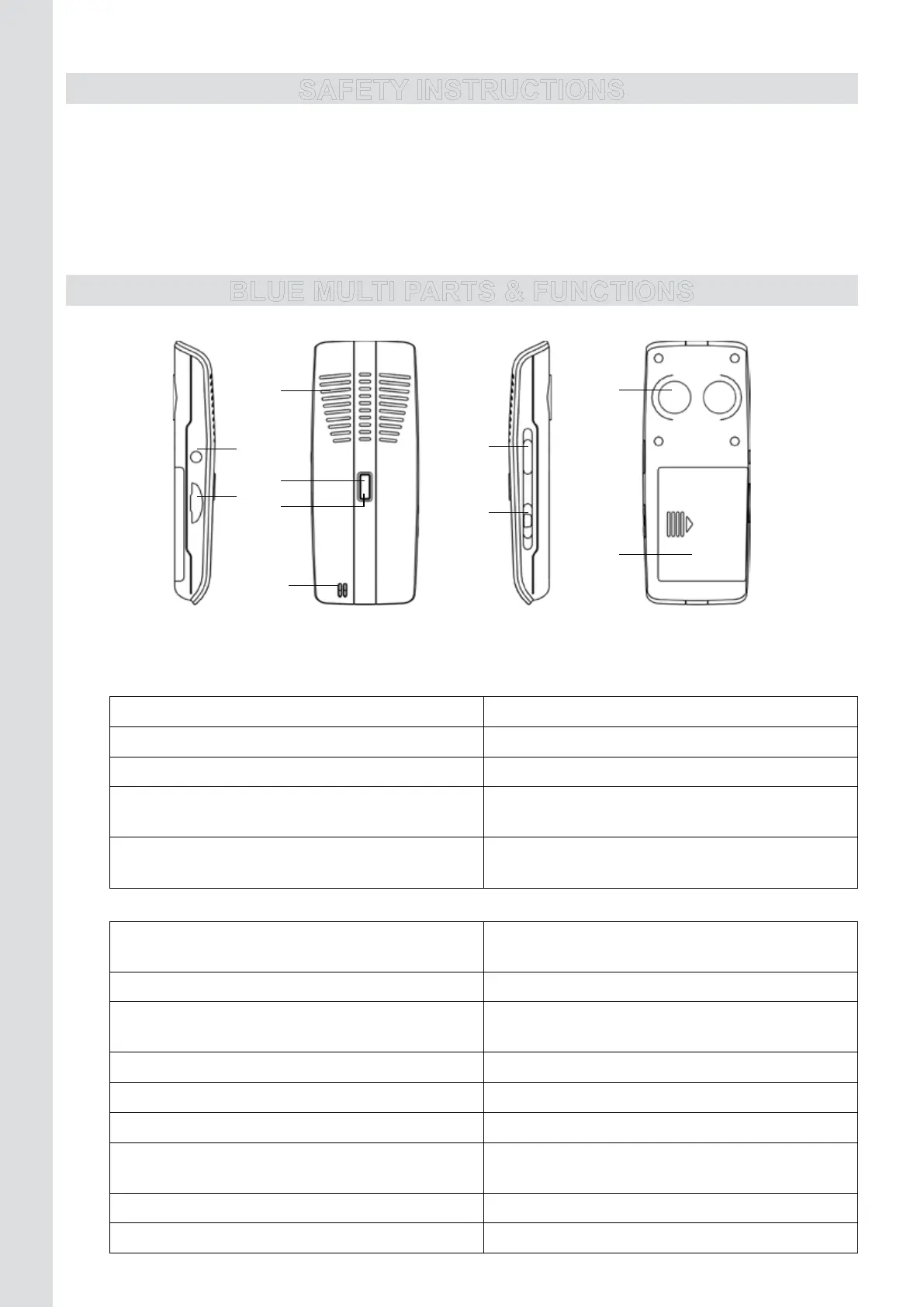
ILLUSTRATION I
1. Battery compartment cover: Open and place the battery
2. USB charging socket
3. ON/OFF button
Blue Multi = ON Pressandhold(2sec)toturnoffthedevice
Blue Multi = OFF Pressandhold(4sec)toturnonthedevice
Blue Multi = OFF Pressandhold(6sec)toactivatepairingmode
During a conversation Press1xtotransferthecallfromtheBlueMulti
toyourmobilephone
During a conversation with the mobile
phone
Press1xtotransferthecallfromyourmobile
phone to the Blue Multi
4. Central button
Standby mode Pressandhold(3sec)torestorethe
Bluetooth
®
connectionafterithasbeenbroken
Standby mode Press1xtoactivatevoicedialing
Standby mode Pressquickly2xtoredialthelastdialed
number
Incoming call Press1xtoansweracall
Incoming call Pressandhold(2sec)torejectacall
During a conversation Press1xtoendacall
During a conversation Press2xwhenyouhearabeep(2
nd
call)to
answer a 2
nd
callandputthecurrentcallonhold
During a conversation Press2xtoswitchbetween2calls
During 2
nd
call Press1xtoend1ofthe2calls
9
10
4
1
2
3
6
5
8
7



 To Next Page