5
GB
• To ensure automatic reconnection between the phone and the Blue Multi, we recommend
setting the Blue Multi as “Authorized” in the Bluetooth
®
menu of your phone! Please refer
to the manual of your mobile phone for more detailed information.
• If the Bluetooth
®
connection is not restored automatically after disconnection, press the
Central button (4) for 3 seconds to restore the connection manually.
POSSIBILITY TO PAIR UP TO 8 BLUETOOTH
®
DEVICES
YourBlueMulticanstorepairinginformationforupto8differentBluetooth
®
devices.Oncepaired,the
BlueMulticanconnectimmediatelywith1ofthe8devices.Whenanattempttopairmorethan8devices
ismade,theoldestpaireddeviceisremovedfromthememory.WhentheBlueMultiisturnedon,itwill
automaticallyinitiate aconnection with thelast mobile phoneit was connectedto. Ifyouwould liketo
connecttheBlueMultiwithanotherdevice,yourstneedtodisconnectthelastpaireddevice.
WHEN COULD THERE BE DISCONNECTION?
In some cases the Blue Multi canbe disconnected from yourphone and you will need to restore the
connection.
• IftheBlueMultihasbeenswitchedoff:SwitchonthepowerwiththeON/OFFbutton(3)andthe
connectionwillberestoredautomatically.
• Ifthemobilephonehasbeenswitchedoff:Turnonthemobilephoneandrestoretheconnectionvia
thephone’smenu.
• Ifoneofthetwodeviceshasbeenoutofrange:Makesurethatbothdevicesarewithinworking
rangeandpresstheCentralbutton(4)for3seconds.
DISCONNECTING THE BLUE MULTI AND THE MOBILE PHONE MANUALLY
YoucandisconnecttheBlueMultifromyourmobilephoneinthefollowingways:
• SwitchofftheBlueMultiusingtheON/OFFbutton(3).
• DisconnecttheBlueMultiinthephone’smenu.
• Movethephonemorethan10metersawayfromtheBlueMulti.
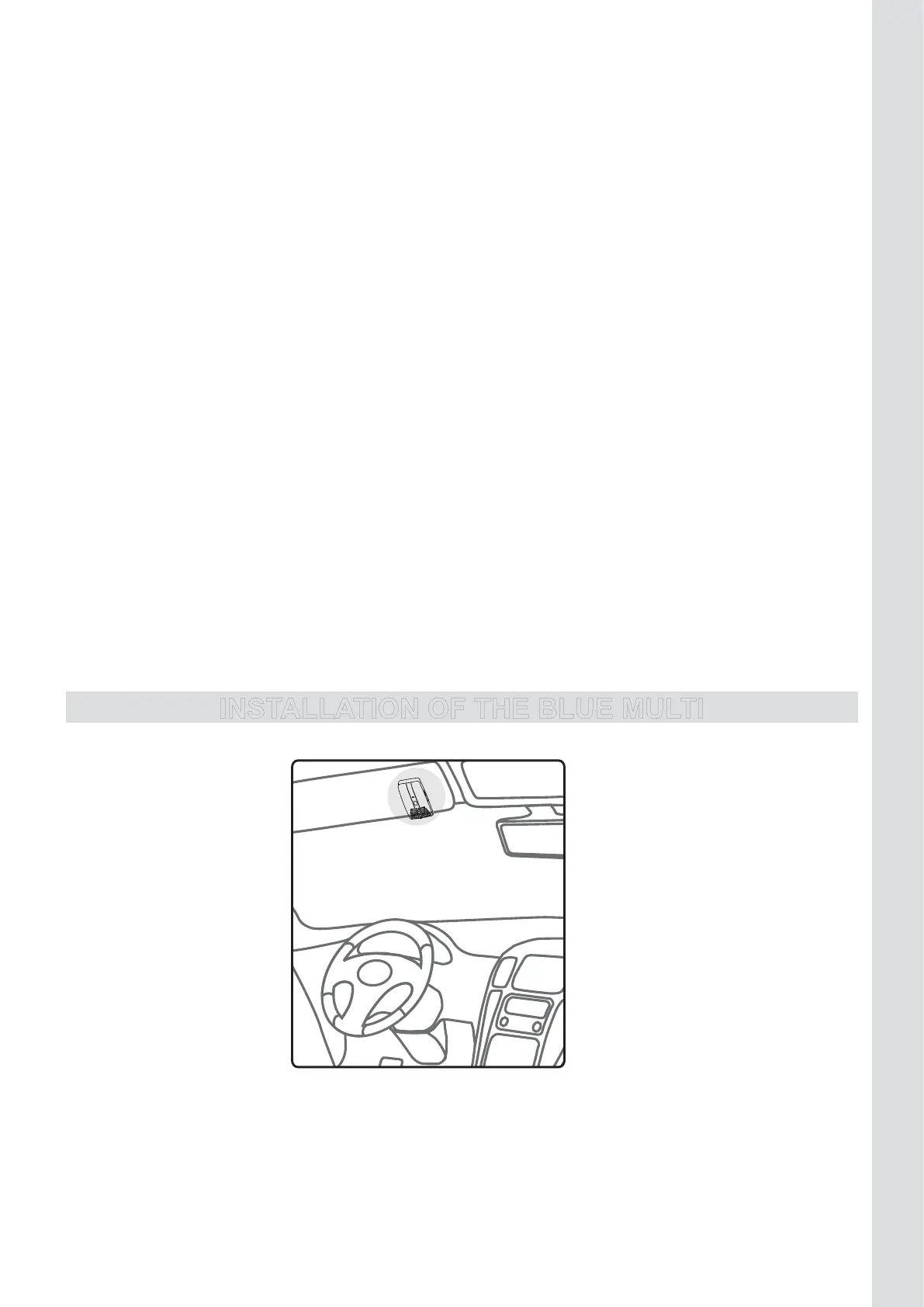
INSTALLATION OF THE BLUE MULTI
ILLUSTRATION III
On the sun visor:FixtheBlueMultionthesunvisorusingthespecialclip(11)anddirectthemicrophone
(6)toyourmouth.
Attention!
For optimum performance, the microphone should be located at a distance of 30-50 cm from the
drivers’ mouth.



 To Next Page