4 Commissioning
Maschinenfabrik Reinhausen 201312 2349487/01 ENTAPGUARD® 260
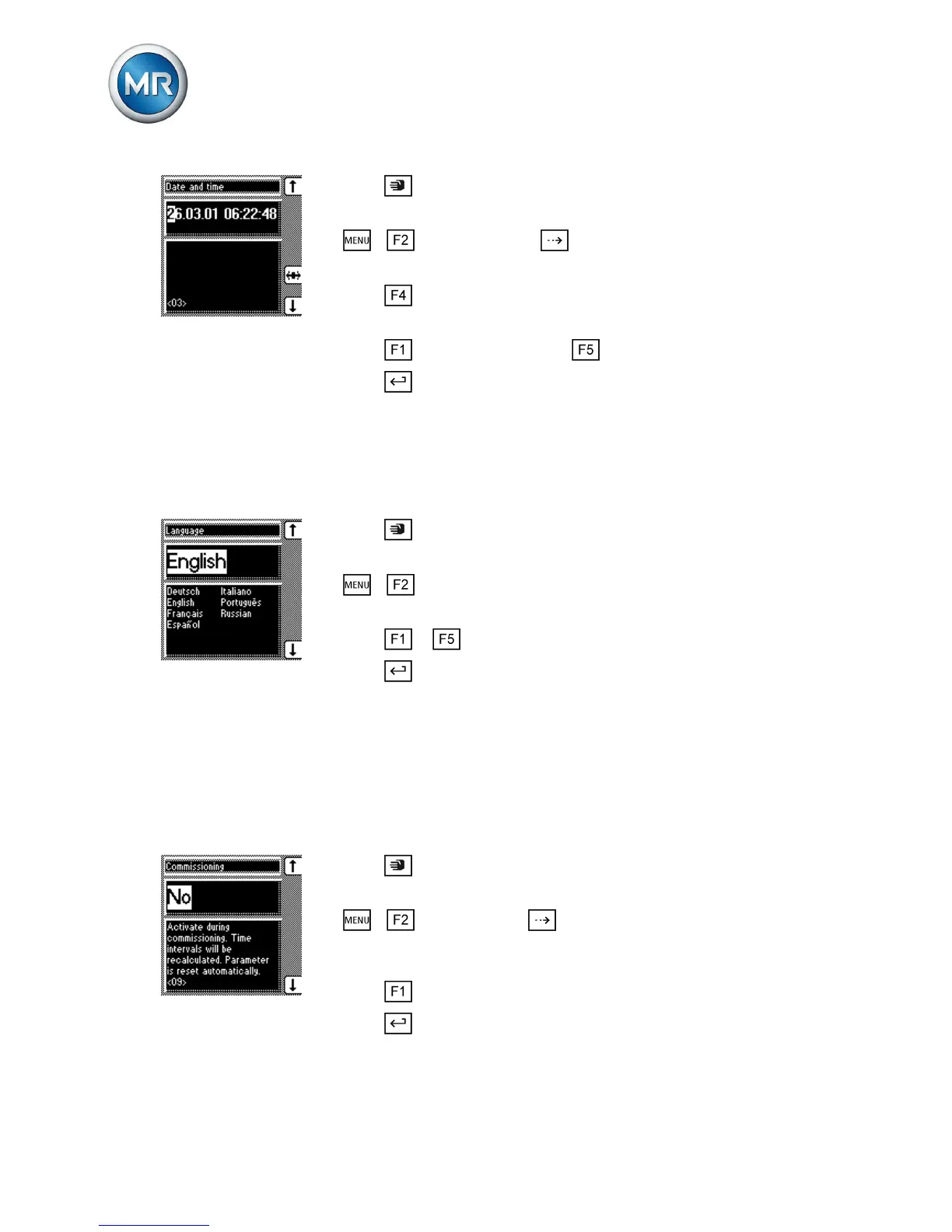
1. Press .
ð The manual mode is active and the associated LED lights up.
2. > > General > Press until the desired display appears.
ð Date and time
3. Press to highlight a digit.
ð The desired position is highlighted and the value can be changed.
4. Press to increase the value or to reduce it.
5. Press .
ð The date and time are set.
Setting the language
You can use this parameter to set the display language for the device. To
set the language, proceed as follows:
1. Press .
ð The manual mode is active and the associated LED lights up.
2. > General.
ð Language
3. Press or to select the required language.
4. Press .
ð The language is set.
Activating commissioning mode
When commissioning the transformer at the installation site, you must use
the parameter to activate commissioning mode. This resets the maintenance
intervals.
To activate commissioning mode, proceed as follows:
1. Press .
ð The manual mode is active and the associated LED lights up.
2. > General > Press until the desired parameter is
displayed.
ð Commissioning
3. Press to select the Yes option.
4. Press .
ð The maintenance intervals are reset.
4.3
4.4


 To Next Page