EasyManua.ls Logo

MRC Prodigy Advance 2 - User Manual

MRC Prodigy Advance 2
20 pages
Print Icon
To Next Page IconTo Next Page
Loading...
MRC Prodigy Advance
2
Users Manual
Model Rectier Corporation
360 Main Street, Suite 2
Matawan, NJ 07747
www.modelrectier.com
Printed in USA

Table of Contents

Question and Answer IconNeed help?

Do you have a question about the MRC Prodigy Advance 2 and is the answer not in the manual?

Summary

GETTING STARTED

Introduction

Welcome message and overview of the Prodigy Advance² DCC system's capabilities.

DCC Basic Background

Explains the fundamental principles of Digital Command Control (DCC) for model railroads.

Specifications and Features

System Menu Summary Chart

OPERATION

Quick Start

Provides essential first steps for setting up and operating the DCC system and locos.

Running a Loco

Detailed instructions on acquiring, controlling speed, direction, and headlights of a locomotive.

Controlling Accessory Functions

Emergency Stopping

Speed Steps

Overload and Short Circuit

CAB SETUP

Setting Cab Addresses

Instructions for assigning unique addresses to multiple cabs for proper system communication.

Adding More Cabs

Information on expanding the system with additional cabs using extension plates.

Setting Last Cab Allowed to Program Locos on the Main Track (Master Cab Only)

Restricts programming rights on the main track to designated cabs.

PROGRAMMING DECODERS

Decoder Terminology

Defines key terms related to locomotive decoders and their programming parameters.

PROGRAMMING LOCO ON THE PROGRAM TRACK

Step-by-step instructions for programming loco settings on a dedicated program track.

PROGRAMMING LOCOS ON THE MAIN TRACK

Instructions for programming decoders directly on the main layout track.

READING LOCOS DECODER VALUES ON THE PROGRAM TRACK

Method for reading decoder configuration variables (CVs) from a loco.

CONFIGURATION VARIABLES

Explanation of Configuration Variables (CVs) and their importance in decoder customization.

Most Commonly Used CVs

Lists frequently used CVs and their functions for advanced decoder tuning.

A Word About CV #29

CONSISTING

Advanced Consisting

Instructions for creating consists using CV19 for modern decoders.

Programming Advanced Consists

Step-by-step process for setting up advanced consists and adding locomotives.

Running Advanced Consists

How to operate a consist that has been programmed using the advanced method.

Clearing Advanced Consists

Procedure for dismantling an advanced consist and returning locos to individual control.

Universal (Old-Style) Consisting

Method for creating consists with older decoders lacking CV19 support.

Programming Universal (Old-Style) Consists

Steps to set up consists for older decoders using the lead loco's address.

FAST CLOCK

Setting Fast Clock (Master Cab only)

Instructions for setting the time, time ratio, and AM/PM or military format.

Setting Time (Master Cab only)

Procedure to set the current time on the system's fast clock.

Setting Time Rate (ratio) (Master Cab only)

Adjusting the fast clock's speed relative to real-world time.

Setting AM;PM or Military (24 hr) Time (Master Cab only)

Selecting the desired time display format for the fast clock.

REVERSE LOOP

ACCESSORY DECODERS

Programming Accessory Decoders with CV# 513

Steps to assign addresses to accessory decoders using CV #513.

Selecting Accessory Decoders

How to select and operate individual accessory outputs.

ACCESSORY ROUTES

Setting Accessory Decoder Routes (Master Cab only)

Procedure for defining routes by adding accessories and specifying their actions.

Running Accessory Routes

How to activate a pre-programmed accessory route.

GENERAL TROUBLESHOOTING

Turn on the power of the base unit

Initial check for base unit power and pilot light status.

If the link light and pilot light are alternately flashing

Diagnosing potential short circuits by observing light patterns.

Check the Main Track output

Verifying the main track's electrical output using a test loco or light.

Check the LCD display

Troubleshooting issues with the cab's LCD display and cable connections.

Your loco may have a pickup problem

Your decoder may have lost its memory or is in Advanced Consist mode

Clear the Advanced Consist or Universal (Old-Style) Consist

CHECKLIST FOR GENERAL PROBLEMS

SPECIAL TROUBLESHOOTING

Base unit pilot light is on but Cab does not display anything on the LCD display

Diagnosing why the cab display remains blank while the base unit is powered.

The locos headlight turns itself off

Explains causes for headlights turning off unexpectedly and potential fixes.

During operation all locos stop responding

Troubleshooting steps when all locomotives on the layout cease to function.

Your Cab operates locos but cannot program on the Program Track

Resolving issues preventing programming operations on the program track.

Summary

GETTING STARTED

Introduction

Welcome message and overview of the Prodigy Advance² DCC system's capabilities.

DCC Basic Background

Explains the fundamental principles of Digital Command Control (DCC) for model railroads.

Specifications and Features

System Menu Summary Chart

OPERATION

Quick Start

Provides essential first steps for setting up and operating the DCC system and locos.

Running a Loco

Detailed instructions on acquiring, controlling speed, direction, and headlights of a locomotive.

Controlling Accessory Functions

Emergency Stopping

Speed Steps

Overload and Short Circuit

CAB SETUP

Setting Cab Addresses

Instructions for assigning unique addresses to multiple cabs for proper system communication.

Adding More Cabs

Information on expanding the system with additional cabs using extension plates.

Setting Last Cab Allowed to Program Locos on the Main Track (Master Cab Only)

Restricts programming rights on the main track to designated cabs.

PROGRAMMING DECODERS

Decoder Terminology

Defines key terms related to locomotive decoders and their programming parameters.

PROGRAMMING LOCO ON THE PROGRAM TRACK

Step-by-step instructions for programming loco settings on a dedicated program track.

PROGRAMMING LOCOS ON THE MAIN TRACK

Instructions for programming decoders directly on the main layout track.

READING LOCOS DECODER VALUES ON THE PROGRAM TRACK

Method for reading decoder configuration variables (CVs) from a loco.

CONFIGURATION VARIABLES

Explanation of Configuration Variables (CVs) and their importance in decoder customization.

Most Commonly Used CVs

Lists frequently used CVs and their functions for advanced decoder tuning.

A Word About CV #29

CONSISTING

Advanced Consisting

Instructions for creating consists using CV19 for modern decoders.

Programming Advanced Consists

Step-by-step process for setting up advanced consists and adding locomotives.

Running Advanced Consists

How to operate a consist that has been programmed using the advanced method.

Clearing Advanced Consists

Procedure for dismantling an advanced consist and returning locos to individual control.

Universal (Old-Style) Consisting

Method for creating consists with older decoders lacking CV19 support.

Programming Universal (Old-Style) Consists

Steps to set up consists for older decoders using the lead loco's address.

FAST CLOCK

Setting Fast Clock (Master Cab only)

Instructions for setting the time, time ratio, and AM/PM or military format.

Setting Time (Master Cab only)

Procedure to set the current time on the system's fast clock.

Setting Time Rate (ratio) (Master Cab only)

Adjusting the fast clock's speed relative to real-world time.

Setting AM;PM or Military (24 hr) Time (Master Cab only)

Selecting the desired time display format for the fast clock.

REVERSE LOOP

ACCESSORY DECODERS

Programming Accessory Decoders with CV# 513

Steps to assign addresses to accessory decoders using CV #513.

Selecting Accessory Decoders

How to select and operate individual accessory outputs.

ACCESSORY ROUTES

Setting Accessory Decoder Routes (Master Cab only)

Procedure for defining routes by adding accessories and specifying their actions.

Running Accessory Routes

How to activate a pre-programmed accessory route.

GENERAL TROUBLESHOOTING

Turn on the power of the base unit

Initial check for base unit power and pilot light status.

If the link light and pilot light are alternately flashing

Diagnosing potential short circuits by observing light patterns.

Check the Main Track output

Verifying the main track's electrical output using a test loco or light.

Check the LCD display

Troubleshooting issues with the cab's LCD display and cable connections.

Your loco may have a pickup problem

Your decoder may have lost its memory or is in Advanced Consist mode

Clear the Advanced Consist or Universal (Old-Style) Consist

CHECKLIST FOR GENERAL PROBLEMS

SPECIAL TROUBLESHOOTING

Base unit pilot light is on but Cab does not display anything on the LCD display

Diagnosing why the cab display remains blank while the base unit is powered.

The locos headlight turns itself off

Explains causes for headlights turning off unexpectedly and potential fixes.

During operation all locos stop responding

Troubleshooting steps when all locomotives on the layout cease to function.

Your Cab operates locos but cannot program on the Program Track

Resolving issues preventing programming operations on the program track.

Overview

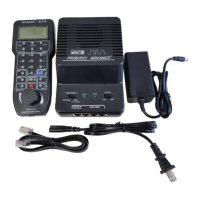
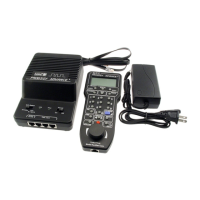
The MRC Prodigy Advance² DCC (Digital Command Control) System is an advanced, user-friendly system designed to enhance the enjoyment of model train layouts. It comes as a complete package, including a Command Station (base unit), a power supply, and an LCD Cab/Handheld with a cable.

Function Description:

The Prodigy Advance² DCC system operates by sending DCC commands from the Command Station to DCC decoders installed in locomotives. Each decoder-equipped loco has a unique address and responds only to commands matching its address. This eliminates the need for multiple blocks and power packs, allowing different locos to run at varying speeds and directions on the same track. The system also supports turning on/off locomotive headlights and activating sounds for locos equipped with sound decoders.

The system supports up to 99 Cabs, each requiring a unique address. Cab #1 is designated as the Master Cab, capable of performing all system functions. Additional Cabs must have their addresses changed from the default #1 to unique numbers, ideally in sequential order. The system's response time can be optimized by setting the total number of operational Cabs, as the base unit communicates with only one Cab at a time.

Programming decoders is a core feature, with the system guiding users step-by-step. Decoders can be programmed on a separate Program Track or directly on the Main Track layout without affecting other running locos. The Program Track is exclusively for programming and reading decoders; locos will not run on it. The system allows programming of loco addresses (2-digit: 1-127 or 4-digit: 128-9999), Start Voltage (SV), Acceleration Rate (Acc), Deceleration Rate (dEc), and Top Voltage (TV). It also supports programming Configuration Variables (CVs) for custom tailoring decoders or selecting specific functions. A crucial feature is the ability to read back CV values from a decoder-equipped loco on the Program Track, useful for recalling unknown addresses or settings.

Consisting, or grouping multiple locos to haul heavy loads, is supported through two methods: Advanced Consisting and Universal (Old-Style) Consisting. Advanced Consisting programs a consist number into the decoder's CV19, overriding its original address. These locos then respond to the consist number until cleared. Universal Consisting stores consist information in the base unit, allowing older decoders without CV19 support to be grouped. In this method, the base unit distributes speed commands to individual locos within the consist. One Universal Consist per system is supported, and it persists even after power-off until manually cleared.

Accessory functions (F0-F28) can be controlled, including headlights (F0). The system also supports accessory decoders for operating turnouts, building lights, and signals. Accessory decoders have unique addresses (CV #513) and can operate independently of loco decoders. Accessory routes, which group turnouts or accessories, can be created, with up to 31 routes and 8 accessories per route.

A Fast Clock feature allows users to set and display a simulated time, time ratio, and AM/PM or military (24hr) format. This time information is stored in the base unit and transmitted to all Cabs, aiding in maintaining railroad schedules.

Important Technical Specifications:

  • Input: 15-16 volts regulated DC, 3.5 Amps universal switching power supply (suitable for USA and Europe).
  • Output: DCC signal with 14.5 V amplitude, for HO and N scales. Larger scales may require an MRC Power Booster.
  • Maximum Current: 3.5 Amps.
  • Maximum Number of Cabs: Up to 99 Cabs.
  • Address Capability: 2-digit (1-127) or 4-digit (128-9,999).
  • Speed Steps: 14/28/128.
  • Accessory Functions: 28 (F0-F28).
  • Consisting: Advanced and Universal Consisting.
  • Programming: Loco on Program Track, Loco on Main Track, Read Loco on Program Track.
  • Power Booster Compatibility: MRC Power Booster (0001521) for larger layouts or "O" and "G" scales.
  • Extension Plates: Supports up to five MRC Prodigy Advance² Extension Plates (0001501) and a powered extension plate (0001502) for additional Cab Jacks.
  • Reverse Loop: Can be managed with a double-pole double-throw (DPDT) switch or the MRC Auto Reverse Loop Module (#AD520).
  • NMRA Compatibility: Designed to program most NMRA compatible decoders.
  • CV #29: A critical Configuration Variable that influences decoder behavior, automatically programmed by the system during address setup, but can be manually reprogrammed for specific needs (e.g., reversing loco polarity, setting 14 speed steps).

Usage Features:

  • Quick Start: Clear instructions for connecting the Command Station to the layout, including Main Track and Program Track connections.
  • Loco Operation: Easy selection of locos by address, direction control, and speed adjustment using the throttle knob. +1 and -1 keys for fine speed adjustments.
  • Recalling Locos: Stores up to 25 previously used locos for quick recall.
  • Deleting Locos: Allows removal of unused loco addresses from the Cab's memory.
  • Emergency Stopping: A dedicated STOP button for immediate halt of the current loco or the entire Main Track output.
  • Yard Mode: Toggles between standard throttle (speed only) and yard throttle (speed and direction) control.
  • Overload and Short Circuit Protection: The base unit automatically stops Main Track output for 2 seconds upon detecting an overload or short circuit.
  • Cab Setup: Procedures for setting unique Cab addresses and defining the total number of operational Cabs to optimize system response. Master Cab (Cab #1) can restrict programming access on Main and Program Tracks for other Cabs.
  • Programming Decoders: Step-by-step guidance for programming loco addresses, start voltage, acceleration/deceleration rates, top voltage, and specific CVs.
  • Consisting Management: Clear steps for programming, running, and clearing both Advanced and Universal Consists.
  • Accessory Control: Simple selection and control of accessory decoders (on/off) and programming of accessory routes.
  • Fast Clock: Easy setting of time, time ratio, and display format for layout operations.
  • Layout Expansion: Diagram and information on how to expand the layout using power boosters for larger setups.

Maintenance Features:

  • Troubleshooting Guide: Comprehensive sections for General Troubleshooting and Special Troubleshooting, designed to help users identify and resolve common issues related to the Command Station, Cabs, decoders, and layout wiring.
  • Checklist for General Problems: A concise list of common issues and their solutions, including cleaning track/wheels, checking wiring, reprogramming locos, resetting Cabs/base unit, and checking for short circuits.
  • Specific Problem Solutions: Addresses issues like Cab not displaying, loco headlight turning off, all locos stopping, individual locos not working, and Cab programming limitations.
  • Factory Testing: The Prodigy Advance² DCC system is thoroughly tested at the factory to ensure reliability.
  • Warranty and Support: A three-year limited warranty covers defects in workmanship or materials. Technical support is available via phone and email for troubleshooting and repair/replacement inquiries. Users are advised to contact support before returning units for service.
  • Documentation: Emphasizes the importance of reading the manual and decoder manuals for proper installation, operation, and programming.
  • Online Resources: Directs users to www.modelrectifier.com and www.nmra.org for additional DCC information and resources.

MRC Prodigy Advance 2 Specifications

General IconGeneral
BrandMRC
ModelProdigy Advance 2
CategoryControl Systems
LanguageEnglish

Related product manuals