1. GETTING STARTED
1.1. Connecting the device
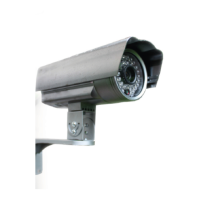
− Take the mr Safe outdoor IP camera out of the box. Attach the wifi antenna and the bracket.
− Mount the bracket to a wall and connect the cables in a waterproof box.
− Plug the (non-waterproof) adapter into a wall socket.
− Connect a network cable to the camera (RJ45 port). Connect the other end of the cable into
your router. If no internet cable is available at the desired location, you can configure the
camera close to your modem.
1.2. Software installation:
Go to the App Store, search for ”mrSafe” in the “only for iPhone” category and download the App.
OR
Go to iTunes and search for “mrSafe” and download the App.
2. TERMINOLOGY
LAN: Local Area Network: Your home network, which includes your internet modem and all the
equipment in the house that is connected to the network via cable or Wi-Fi.
WAN: Wide Area Network: The internet, if you have an Internet connection at home or anywhere
else.
Resolution: The quality and sharpness of the images. The resolution is expressed in pixels horizontal
x vertical. The higher the resolution the better the image quality of the IP camera.
Bitrate: The number of bits (transmission of information) that can be sent or received per unit of
time via a network connection. A bit is the smallest amount of information. The higher the bitrate,
the more information per unit of time will be send or received.
Framerate: The number of frames per second being imaged.
5


 To Next Page