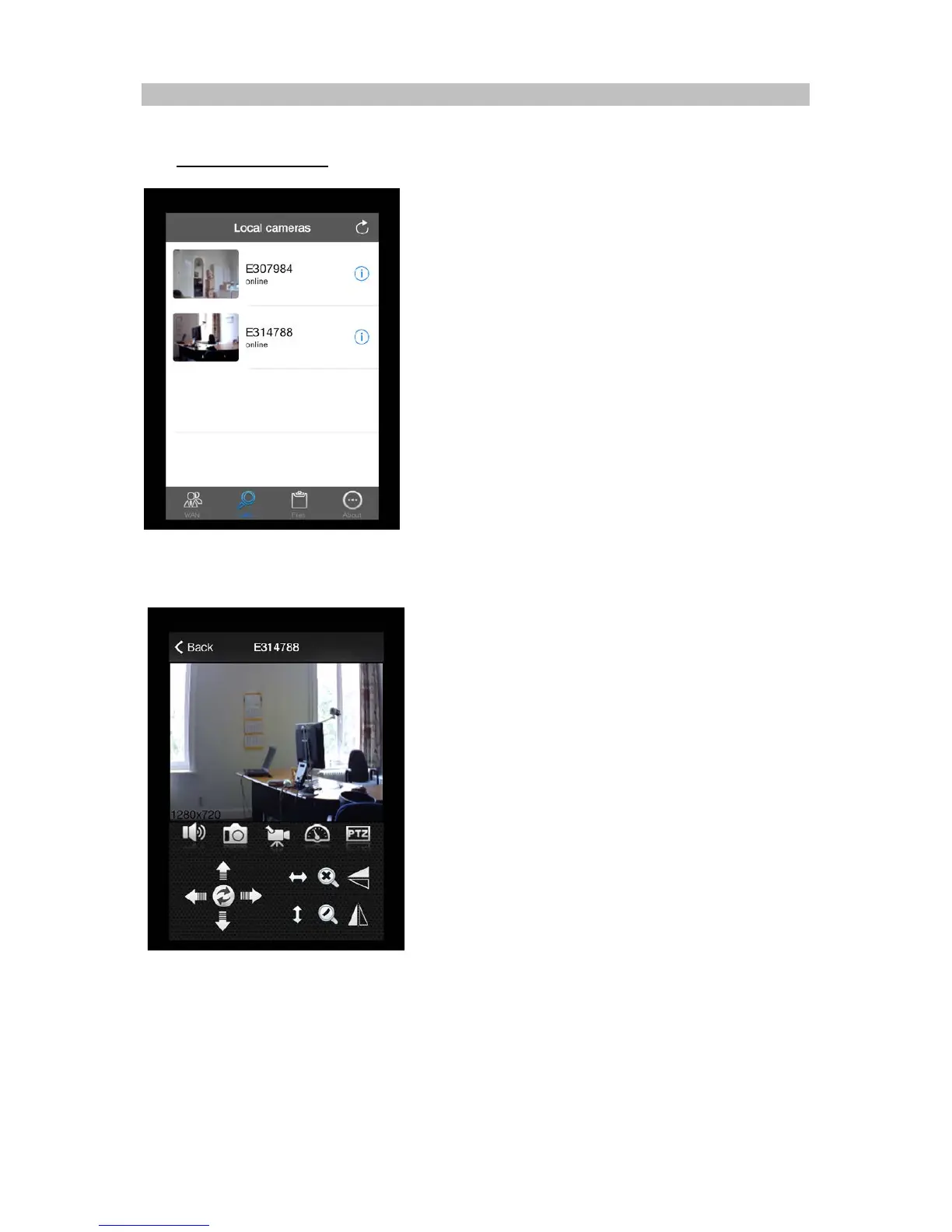
4. LAN CAMERA
All the cameras that are online in your local network (LAN) will be displayed in the LAN list.
4.1. LAN Camera browsing
:
Go to the LAN list and click on the camera you want to see. The program is now going to make
contact with your IP camera. This can take a few seconds.
When the image appears, the camera is ready to operate. If the image is not completely clear /sharp,
you can turn the lens focusing ring till the image appears sharp. If you want to control the camera
you can press the buttons of the control panel. (For more information go to chapter “6.1 Control
Panel”).
8


 To Next Page