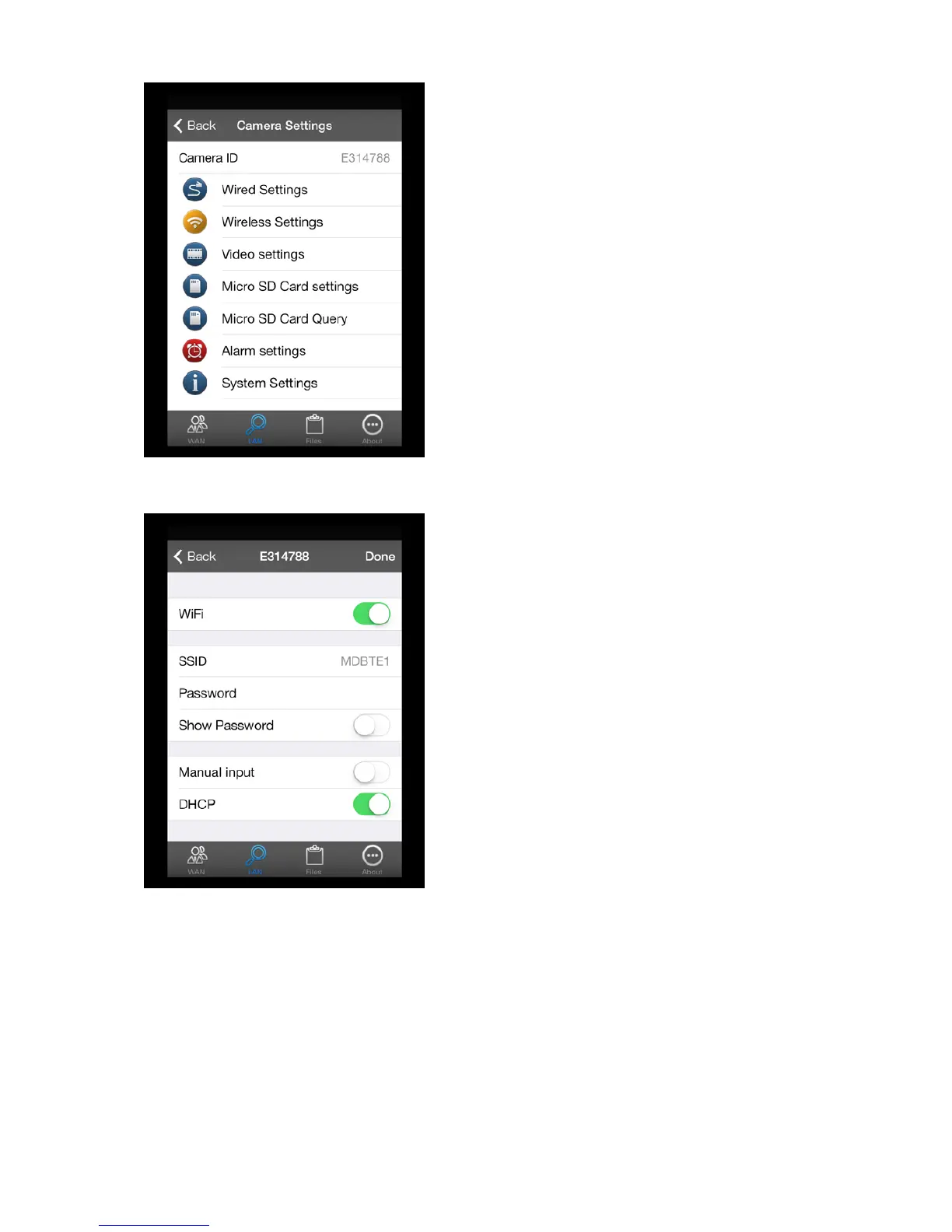
Click on the
symbol next to the camera icon and select "Wireless Settings".
Click on “SSID” to display the available networks. Select your network and enter your password.
After confirmation, the IP camera will restart (this will take about 2 minutes), and you can remove
the network cable. You can now place the IP camera wherever you want, within the range of your
router.
7


 To Next Page