40-150cm.
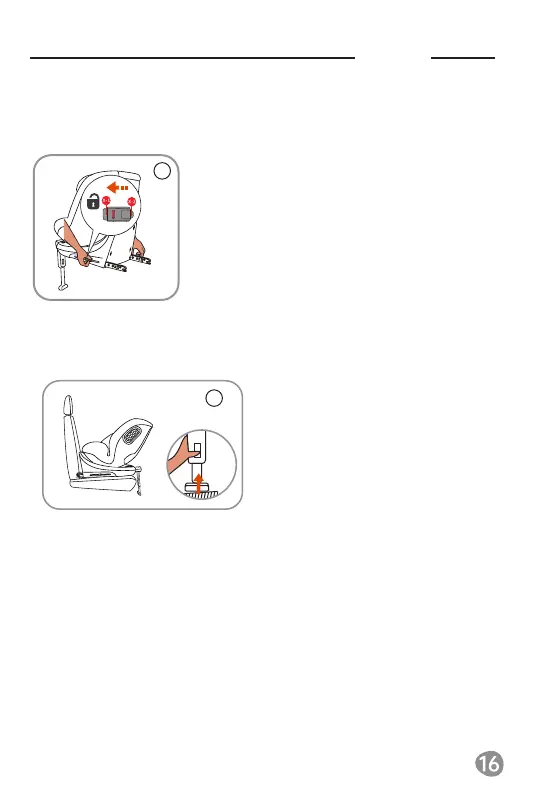
4-10 Remove ISOFIX attachment and hide the Support leg
1. Press the "ISOFIX attachment unlock
button", and hear "click" sound, ensure that
both sides of the ISOFIX attachment are
unlocked, then remove the seat
4-10-1 Removing the ISOFIX attachment
1.Press the supporting leg adjustment
button and pull the Support leg up
4-10-2 hide the support leg
Notice: ISOFIX attachment is unlocked correctly only
when the left and right ISOFIX indicator show red.
23
24


 To Next Page