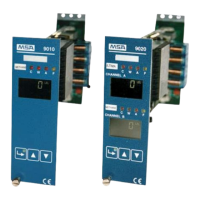
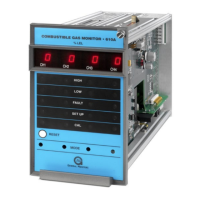
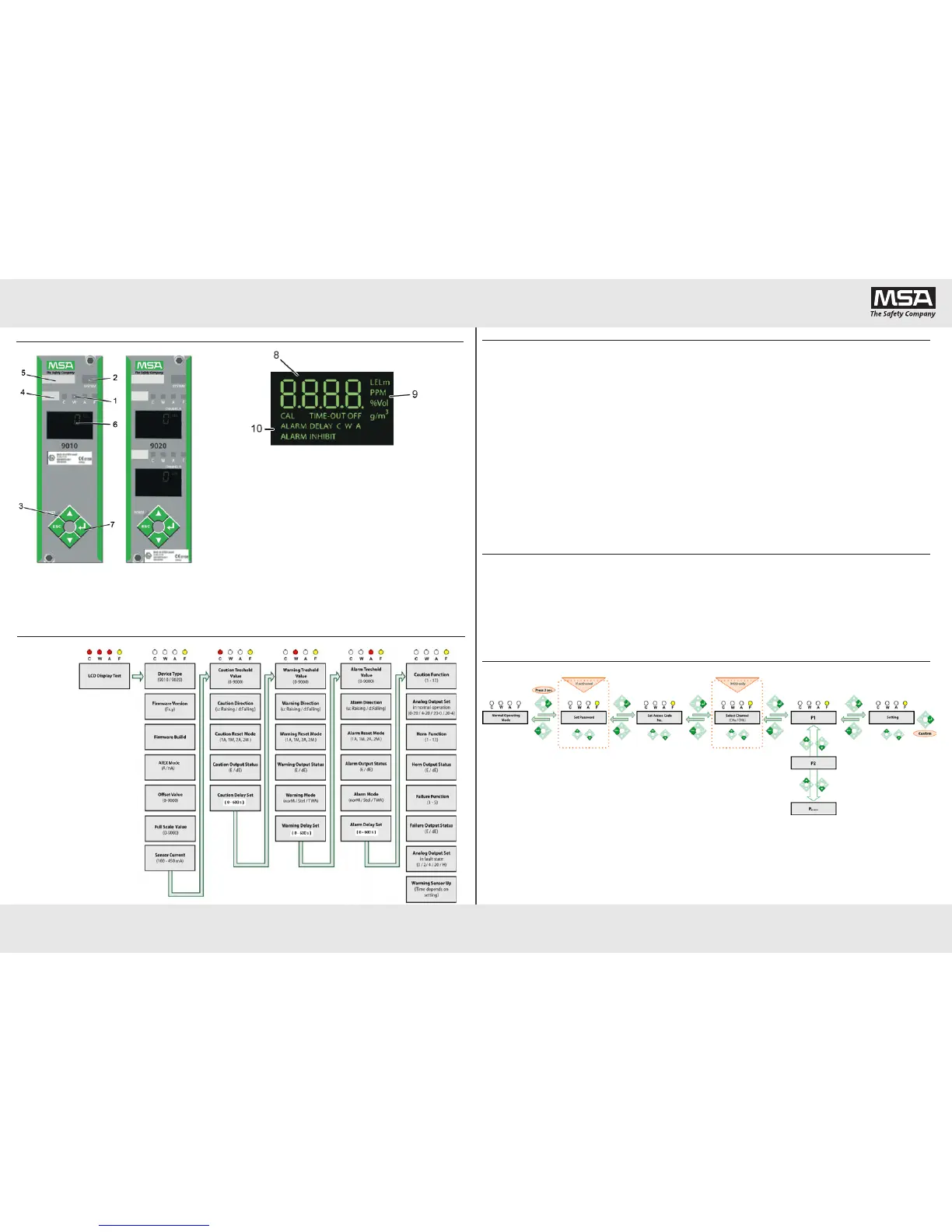
1 Status LEDs (red/yellow) 6 Display
2 System Failure LED (yellow) 7 Keypad
3 POWER LED(green) 8 Measured value
4 Gas Information Tag 9 Measuring units
5 Site Information Tag 10 Control Unit Status
Front Panel and Display Information
Startup
Code Description Code Description
F1.1*
Detector supply current is too high
F6.2
Externalwatchdogfailure
F1.2*
Detector supply voltage is too high
F7.1*
Digital output failure
F1.3
Possibleshortcutondetectorside
F7.2
Digital output failure
F1.4*
Defaultcongurationhasbeenloaded
F7.3
Digital output failure
F1.5*
Transmitter does not provide a constant current
F8.1
Selftestfailure
F1.6*
TransmittercosumeslesscurrentthanitissetinMenu4/P2.
F8.2
SelftestRAM1failure
F1.7
Sensorcurrentisturnedoff
F8.3
SelftestRAM2failure
F1.8
Possibleshortcutondetectorside
F8.4
SelftestFlashfailure
F5.1
ADCconvertorfailure
F8.5
Selftestcongurationfailure
F5.2
ADCBackupconvertorfailure
F8.6
SelftestCPUfailure
F5.3
ADCconvertorfailure
F8.7
Selftestclockfailure
F5.4
Sensorcurrentcannotbeset
F9.1
SettingswerechangeddueATEXmode
F5.5
Testing voltage is too low
F9.2
Factory default values were loaded
F5.6
Testing voltage is too high
F9.3
Userdefaultvalueswereloaded
F5.7
Transmitter supply voltage too high
F9.4
Factory/Userdefaultvaluescannotbeloaded
F5.8
Transmitter supply voltage too low
F9.5
Userdefaultvaluesnotsaved
F6.1
Externalwatchdogwastriggered
F9.6
Passwordnotaccepted
*Failure message must be acknowledged by operator pressing UP or ENTER key on the front panel
Error Codes
Code Description Code Description
E1 Sensorsensitivityistoolow -d1 Input signal is below limit
E2 Sensorsensitivityistoohigh EEEE Input signal is over measuring range
E3
Sensorsensitivityisreduced
(soonreplacementmustbeexpected)
LOU1* External24VDCistoolow
E4 Detectorsignalisoutofoptimalrange(>300mV) LOU2* Internal24VDCistoolow
E10 SamevalueforZEROandSPANhasbeenset LOU3* Controller supply is too high
LOU4* Internal temperature is too low
LOU5* Internal temperature is too high
Menu Access
Access Code 1
Calibration
Access Code 2*
Settingsforparticularoperatingconditions
Access Code 3
Simulationandfunctiontests
Access Code 4*
Conguration
Access Code 6*
Basic setup
Access Code 7*
Peripheralssetup
Access Code 52*
InputandOutputSetup
Access Code 53*
Default settings
Access Code 223
Passwordsetup
*AccessCode123isrequired
RefertothemanualfordetailedAccessCodefunctionsdescription.
Attheendofthestartup
procedure,the“CAL”symbolis
shortly displayed and the control
unit starts the regular operating
mode.Sensorwarmuprunson
the background during the startup
procedure.
The startup procedure can be
accelerated with the front keys:
• PressEnter/Up/Downkeyto
displaynextitemimmediately.
• PressESCkeytoskipthe
startup procedure
NOTE: Please contact your local MSA representative if you have a problem with the unit setup or testing.
Failure Identication Codes
www.MSAsafety.com
Schlüsselstrasse12
8645Rapperswil-Jona
Switzerland


 To Previous Page
 Loading...