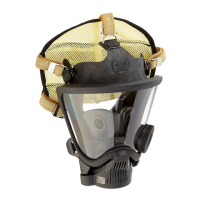
USING THE AIR MASK
FireHawk M7 Control Module Pressure Display
(
integrated PASS version)
1. Periodically check the pressure indicated on the
F
ireHawk M7 Control Module display. It will display
either remaining cylinder pressure (default) or calculat-
ed remaining service time.
2. When the pressure reaches 25% of the rated service
pressure, the alarm button on the FireHawk M7
C
ontrol Module will flash red and the FireHawk M7
HUD or I-HUD will display one flashing red LED.
3. When the pressure reaches approximately 25% of the
rated service pressure, return to fresh air.
Changing the FireHawk M7 Control Module Display
Mode (integrated PASS version)
1. Press the top mode button (green) once. This will
momentarily refresh FireHawk M7 HUD or I-HUD dis-
play as well as light the FireHawk M7 Control Module
display.
2. While the FireHawk M7 Control Module display is still
lit, press the top mode button (green) again. This will
toggle the display from remaining cylinder pressure to
calculated remaining service time.
The FireHawk M7 Control Module (integrated PASS
version) has the ability to display calculated remaining
service time counting down to 0 psi (default) or 25% of
the rated service pressure. The user must determine
which option has been selected for the FireHawk M7
Control Module in service. Failure to follow this warn-
ing can result in serious personal injury or death.
Actual time remaining may be less than the calculated
time displayed. Increases in breathing rate may reduce
remaining time more than expected. Use time indica-
tor as general guide only. The time displayed is based
on the continuation of the average breathing rate over
the last three minutes. Increases in the breathing rate
after checking the displayed time may result in less
remaining time than anticipated. Failure to follow this
warning can result in serious personal injury or death.
Turning ON the Continuous Pressure Display Mode for
the FireHawk M7 HUD or I-HUD
In Continuous Pressure Display Mode, the life of the
batteries in the FireHawk M7 HUD or I-HUD will be
shortened.
NOTE: The Continuous Pressure Display Mode can only
be activated when the system is pressurized.
1. Push the mode button (green) on the FireHawk M7
Control Module or NightFighter HUD Transmitter and
hold the button in for 3 seconds or until the FireHawk
M7 Power Module (integrated PASS version) sounds a
s
ingle beep. The LEDs will appear in the FireHawk M7
HUD or I-HUD.
2
. The FireHawk M7 HUD or I-HUD will continuously
show the cylinder pressure.
Turning OFF the Continuous Pressure Display Mode
for the FireHawk M7 HUD or I-HUD
N
OTE: The Continuous Pressure Display Mode will deac-
tivate if low battery in the FireHawk M7 HUD or I-HUD is
reached.
1. With the FireHawk M7 HUD or I-HUD in Continuous
Pressure Display Mode, push the mode button (green)
on the FireHawk M7 Control Module or NightFighter
HUD Transmitter and hold the button in for 3 seconds
or until the FireHawk M7 Power Module (integrated
PASS version) sounds a single beep.
2. The FireHawk M7 HUD or I-HUD will revert to default
mode showing only cylinder pressure status at each
25% increment of full cylinder pressure.
Low Battery Warnings
Replace the batteries in the FireHawk M7 Power
Module (integrated PASS version) when the low bat-
tery warning sounds. Use only recommended battery
types. Change the batteries in a non-hazardous area
only. Misuse can result in serious injury or death.
NOTE: There are unique low battery warnings for the
FireHawk M7 HUD or I-HUD and the FireHawk M7 Power
Module (integrated PASS version) which are each displayed
by the FireHawk M7 HUD or I-HUD and on the FireHawk
M7 Control Module display (integrated PASS version).
1. If there is a low battery in the FireHawk M7 HUD or I-
HUD, one yellow LED will flash in the FireHawk M7
HUD or I-HUD.
2. If there is a low battery in the FireHawk M7 Power
Module or NightFighter HUD Transmitter, a double
flash of the yellow LED will be displayed.
3. If there are low batteries in the FireHawk M7 HUD or I-
HUD and FireHawk M7 Power Module or NightFighter
HUD Transmitter, the yellow LED FireHawk M7 HUD or
I-HUD will alternate single and double flashes of the
yellow LED.
Replacing the Batteries in the FireHawk M7 Power
Module (integrated PASS version)
DO NOT dispose of the batteries in fire. They may
explode. Misuse can result in serious injury or death.
28
TAL 1705 (L) Rev. 18 - 10082858



 To Next Page