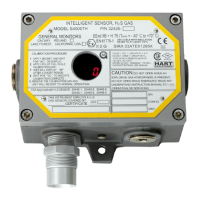
Ultima MOS-5 Detector
ii
Table of Contents
TABLE OF FIGURES .................................................................................................................. VI
TABLE OF TABLES ................................................................................................................... VII
QUICK START GUIDE ................................................................................................................. 1
Mounting and Wiring ............................................................................................................................... 1
Tools Required ……..…………………………………………………………………………………………...1
Terminal Connections ............................................................................................................................. 1
1.0 INTRODUCTION .................................................................................................................... 4
1.1 Protection for Life ....................................................................................................................... 4
1.2 Special Warnings ....................................................................................................................... 4
1.3 System Integrity Verification ...................................................................................................... 5
2.0 PRODUCT DESCRIPTION ..................................................................................................... 7
2.1 General Description ................................................................................................................... 7
3.0 INSTALLATION ...................................................................................................................... 8
3.1 Receipt of Equipment ................................................................................................................. 8
3.2 Tools Required ........................................................................................................................... 8
3.3 Choosing Product Locations ...................................................................................................... 8
3.3.1 Remote Mounting of the Sensor from the Electronics .................................................. 9
3.4 Mounting and Wiring ................................................................................................................ 10
3.5 Terminal Connections .............................................................................................................. 11
3.5.1 Terminal Block TB1 – Sensor Connections ................................................................ 11
3.5.2 Terminal Block TB2 – Power and Signal Connections ............................................... 12
3.5.3 DC Power and Ground Connections ........................................................................... 13
3.5.4 Analog Signal Connections ......................................................................................... 13
3.5.5 Terminal Block TB3 – Relay Connections .................................................................. 14
3.5.6 European Union (EU) Approved Applications ............................................................. 15
3.5.7 Cable Termination in the Non-hazardous Area .......................................................... 15
3.6 Maintaining the X/P Integrity .................................................................................................... 15
4.0 OPERATION ......................................................................................................................... 17
4.1 Start-Up Checklist .................................................................................................................... 17
4.2 Start-Up .................................................................................................................................... 17
4.3 Relay Reset .............................................................................................................................. 17
4.4 User Selectable Options .......................................................................................................... 18
4.4.1 Ultima MOS-5 Intelligent Sensor User Menu Structure .............................................. 19
4.4.2 Sensor Range ............................................................................................................. 19
4.4.3 Calibration Output ....................................................................................................... 20
4.4.4 Warning Relay Settings .............................................................................................. 20
4.4.5 Alarm Relay Settings................................................................................................... 21
4.4.6 Modbus Channel 1 Settings ........................................................................................ 21
4.4.7 Modbus Channel 2 Settings ........................................................................................ 22


 To Next Page