A-4
Realtek Audo
▍
Software configuration
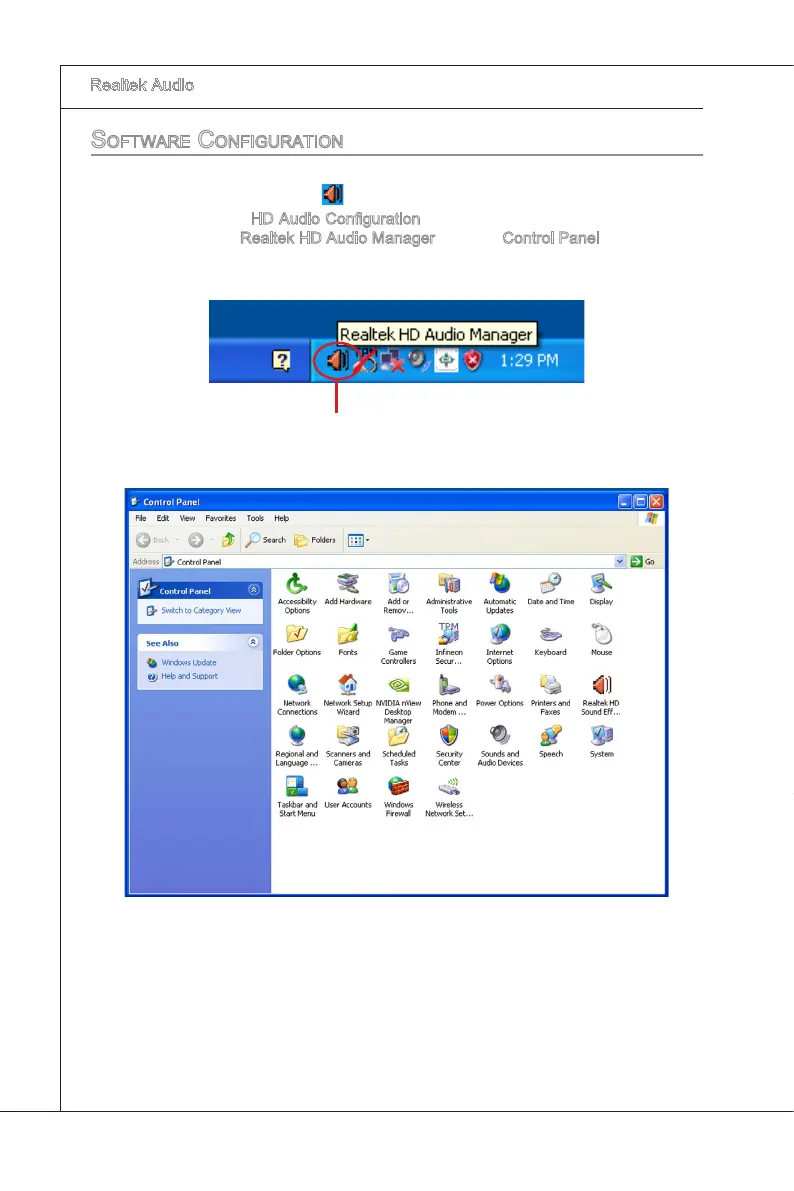
After nstallng the audo drver, you are able to use the 2-, 4-, 6- or 8- channel audo
feature now. Clck the audo con
from the system tray at the lower-rght corner of the
screen to actvate the HD Audo Conguraton. It s also avalable to enable the audo
drver by clckng the Realtek HD Audo Manager from the Control Panel.
Double clck


 To Next Page