30
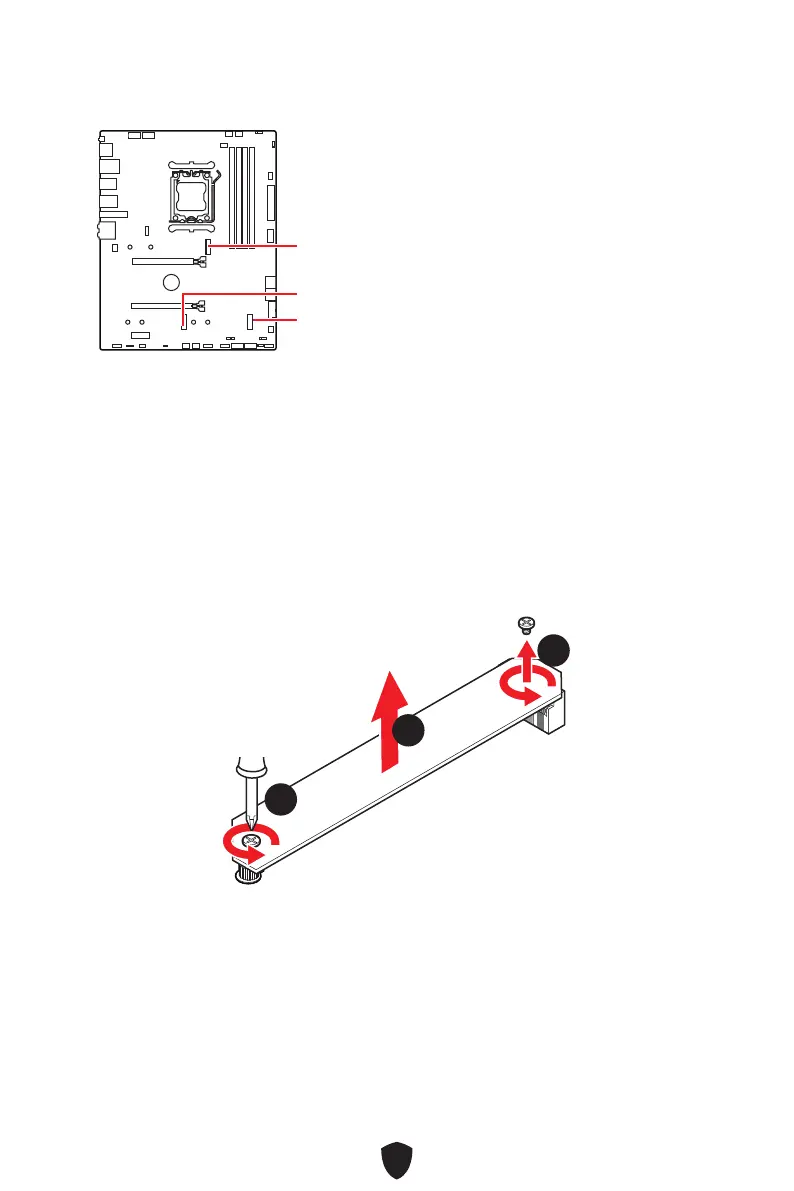
M2_1~3: M.2 Slots (Key M)
M2_1
M2_2
M2_3
Installing M.2 module into M2_1 slot
1. Loosen the screws of M.2 Shield Frozr heatsink.
2. Lift up the M.2 Shield Frozr heatsink and remove it.
11
11
22
⚠
Important
If your M.2 SSD equips its own heatsink, please remove the M.2 plate or rubber cube
in the M.2 slot before installing M.2 SSD. Do not re-install the heatsink supplied with
your motherboard.



 To Next Page