32
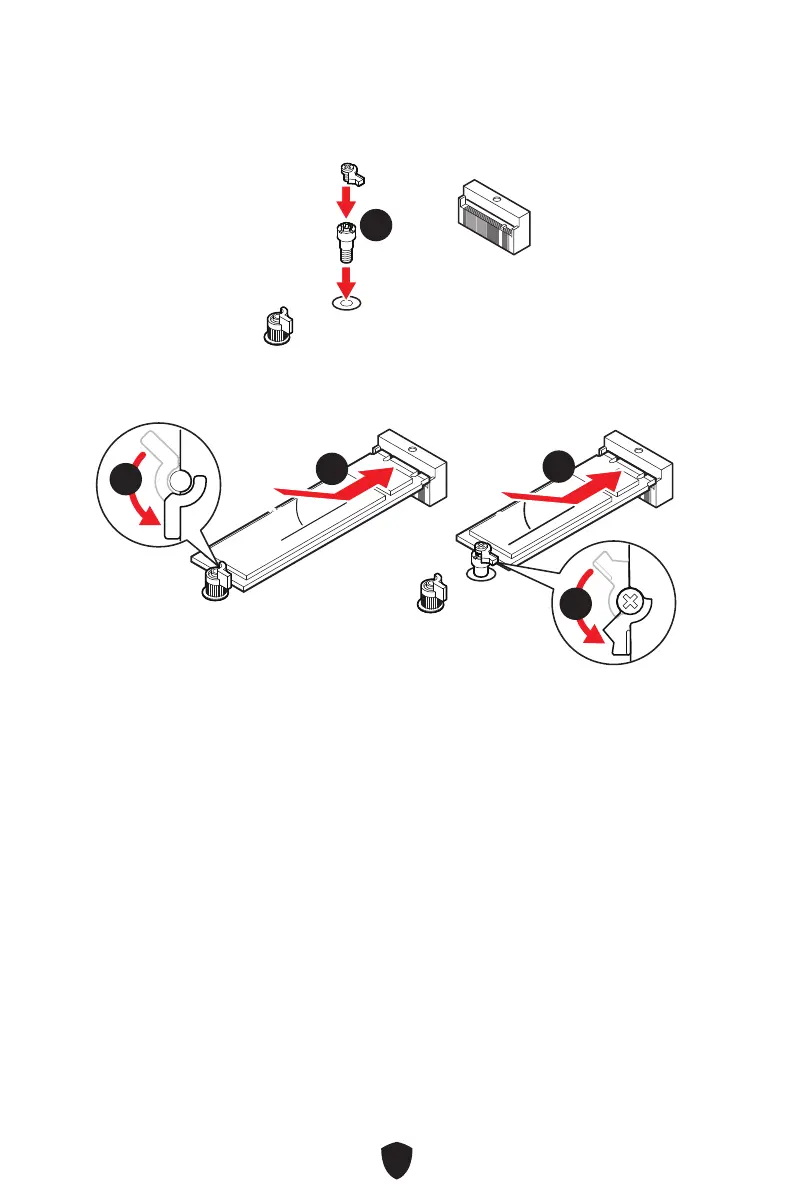
Installing M.2 module into M2_2 slot
1. If you want to install 2260 M.2 SSD, please install the supplied EZ M.2 Clip kit in the
2260 screw hole. Skip this step, if you install 2280 SSD.
11
2. Insert your M.2 SSD into the M.2 slot at a 30-degree angle.
3. Rotate the EZ M.2 Clip to fix the M.2 SSD.
30º30º
30º30º
2280 SSD
2260 SSD
33
22
22
33



 To Next Page