2-9
MS-A923
Connecting the Communication Device
Wired LAN
The RJ-45 connector of the AIO PC allows you to connect the LAN (local area
network) devices, such as a hub, switch and gateway, to build a network con-
nection.
For more instructions or detailed steps on connecting to the LAN, please ask your
MIS sta or network manager for help.
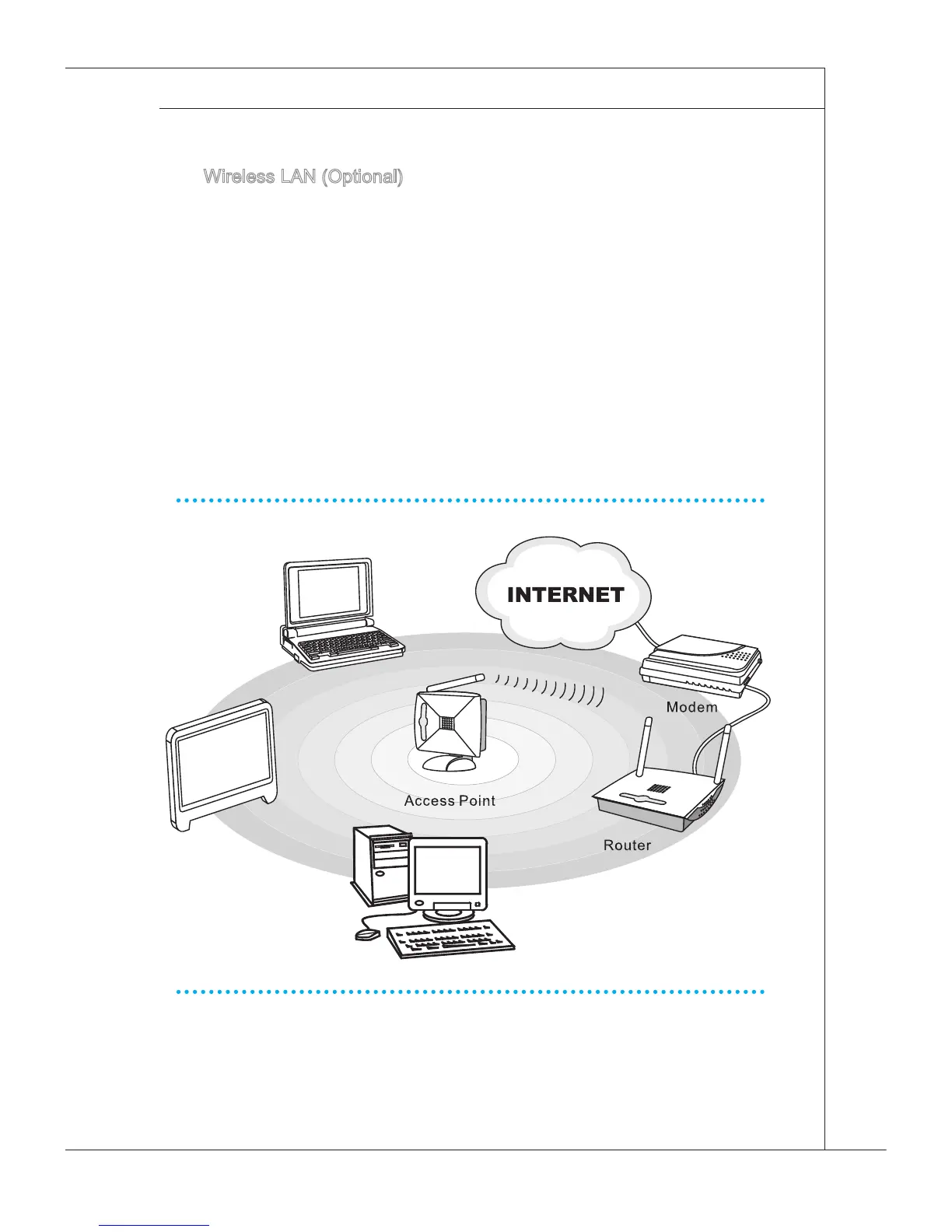
Wireless LAN (Optional)
This AIO PC is equipped with wireless LAN module which allows users to per-
form fast data transmission with standard IEEE 802.11 technology for wireless
LAN. This gives users the mobility to move around within a broad coverage area
and still be connected to the network.
By using the 64-bit/128-bit Wired Equivalent Privacy (WEP) encryption technol-
ogy and Wi-Fi Protected Access feature, the optional built-in wirelesses LAN is
capable to achieve a more ecient and a more secure solution to the wireless
communication.
For more instructions or detailed steps on connecting to the Wireless LAN, please
ask your MIS sta or network manager for help.


 To Next Page