3-8
System Operations
▍
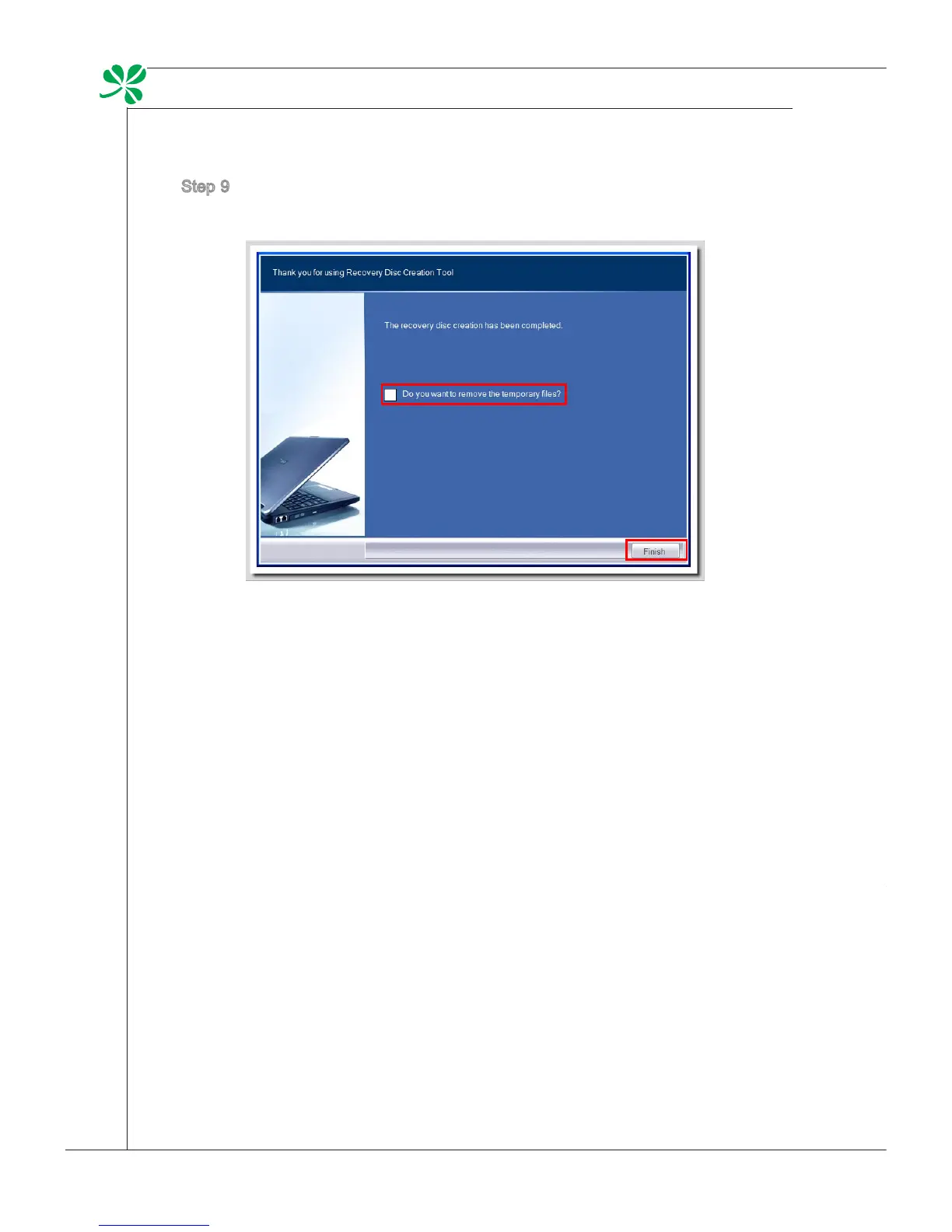
Step 9. Check the following box if you want to remove the temporary les. Click
[Finish] to complete recovery disk creation.
touCh panel CaliBration (only for Single-touCh moDel)
Wind Top Series AIO PC has touch panel function. If the mouse cursor can not
match the move, users could use the IdeaCom TSC tool installed in system to
adjust the accuracy of the touch panel. Please go over the following steps to get
it done.
Step 1. Locate the IdeaCom TSC tool at [Start] > [All Programs] > [IdeaCom
TSC].
Step 2. Click [Calibration] to bring forth the default 9-point calibration. Follow the
on-screen instructions to calibrate the touch panel.


 To Next Page