3-21
MS-A923
on-SCreen DiSplay (oSD)
The on-screen display (OSD) allows you to tune the viewing options of the moni-
tor, such as brightness, contrast, positioning, and language. It can be activated
by buttons at the right side of the monitor.
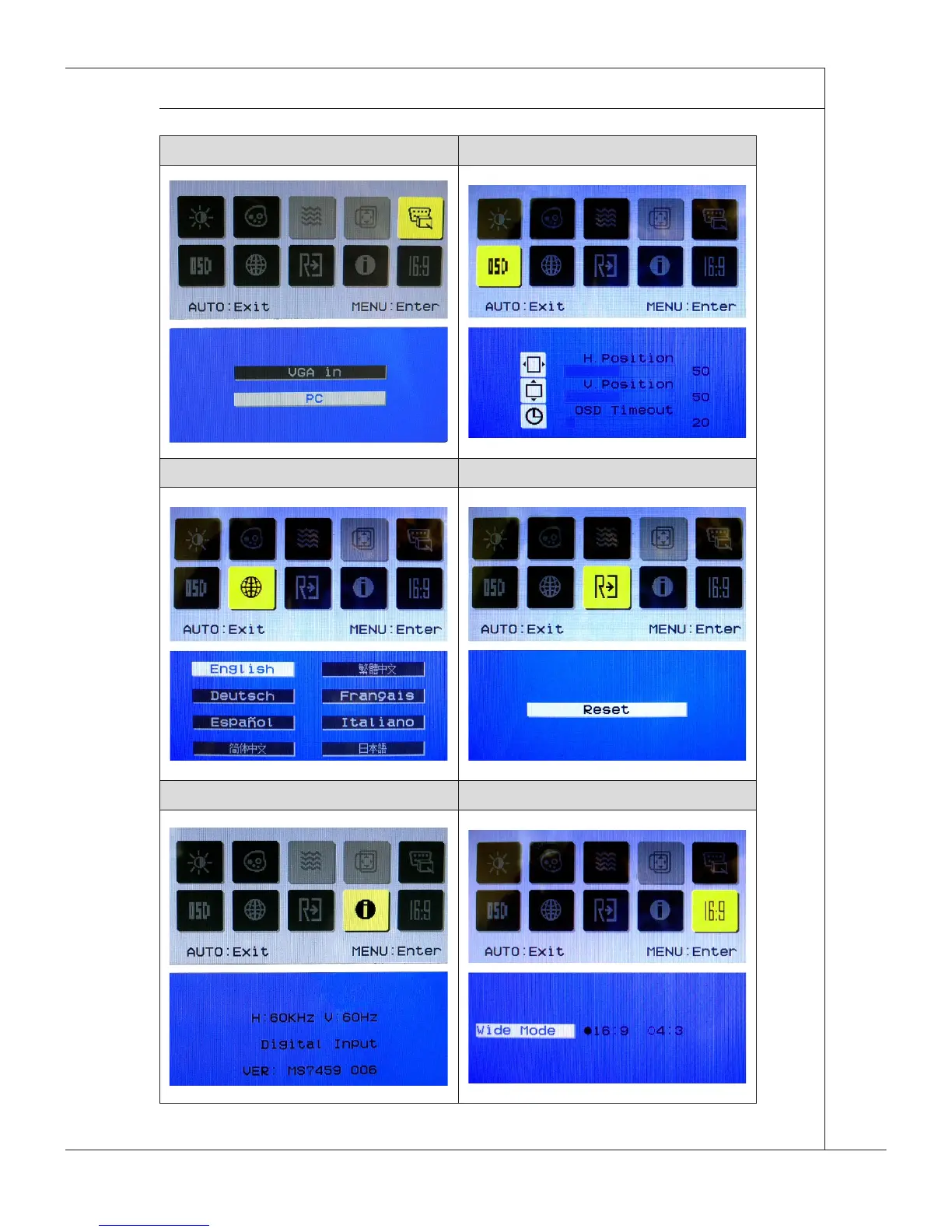
Step 1. Press the MENU button to bring up the OSD main menu. Use the Right
and Left arrow buttons to select the desired function menu and press the
MENU button to enter. Use the Right and Left arrow buttons to select or
tune the values to suit your personal preferences. After the settings are
done, press the AUTO button to exit.
Adjusting contrast and brightness Adjusting color
Adjusting signal source Adjusting positioning & timeout
Specifying language Resetting system
Reading system information Adjusting wide screen mode


 To Next Page