En-7
Englsh
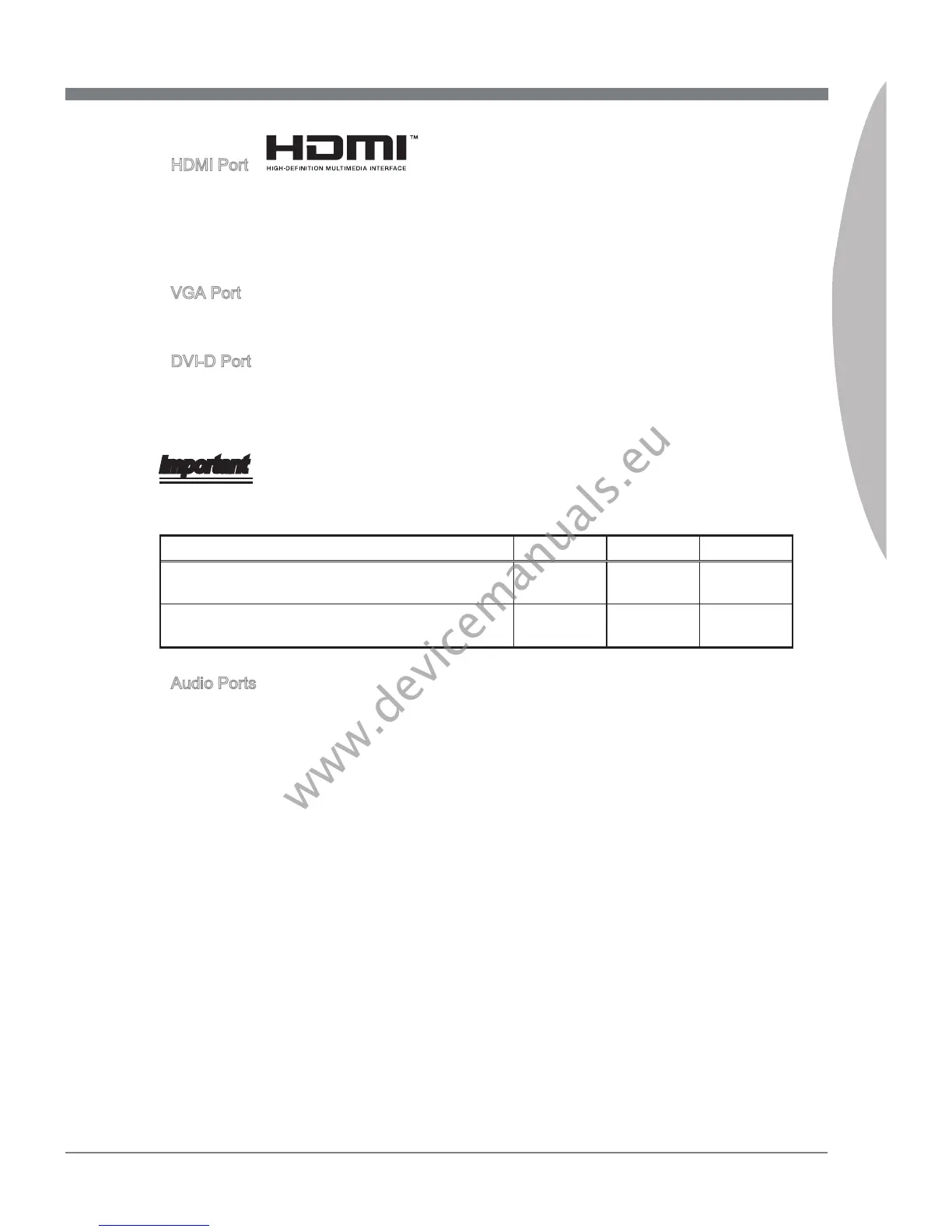
HDMI Port
The Hgh-Denton Multmeda Interface (HDMI) s an all-dgtal audo-vdeo nterface
that s capable of transmttng uncompressed streams. HDMI supports all types of TV
formats, ncludng standard, enhanced, or hgh-denton vdeo, plus mult-channel
dgtal audo on a sngle cable.
VGA Port
The DB15-pn female connector s provded for montor.
DVI-D Port
The DVI-D (Dgtal Vsual Interface- Dgtal) connector can be connected to a LCD
montor, or a CRT montor wth an adapter. To connect a montor, please refer to the
montor’s manual for more nformaton.
Important
Ths platform supports dual-dsplay functon by any two output ports (HDMI+DVI,
DVI+VGA or VGA+HDMI).
HDMI+DVI DVI+VGA VGA+HDMI
Extend mode
(Extend the desktop to the second montor)
◯ ◯ ◯
Clone mode
(Two montors have the same screen)
◯ ◯ ◯
Audo Ports
These connectors are used for audo devces. The color of the jack refers to the functon
of the connector.
Blue-Lne
n: Used for connectng external audo outputtng devces.
Green- Lne out: Used as a connector for speakers or headphone.
Pnk- Mc: Used as a connector for a mcrophone.
Black- RS-Out: Rear surround sound lne out n 4/ 5.1/ 7.1 channel mode.
Orange- CS-Out: Center/ subwoofer lne out n 5.1/ 7.1 channel mode.
Gray- SS-Out: Sde surround sound lne out n 7.1 channel mode.
▶
▶
▶
▶
■
■
■
■
■
■


 To Next Page
 Loading...