3-10 3-11
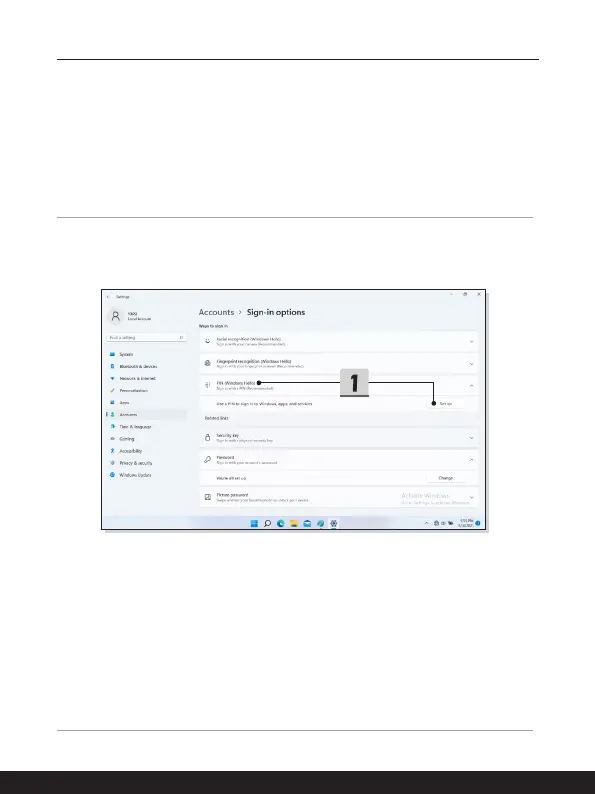
Setting up Windows Hello PIN
A Windows Hello PIN is a fast, secure way to sign in to your device, apps and services.
The figures shown here are for reference only, they may be varied from the actual ones.
1. Select [PIN (Windows Hello)], and then click [Set up] to continue.
2. Verify your account's password first.
3. Set up your Windows Hello PIN. Click [OK] to close.



 To Next Page