2-4 2-5
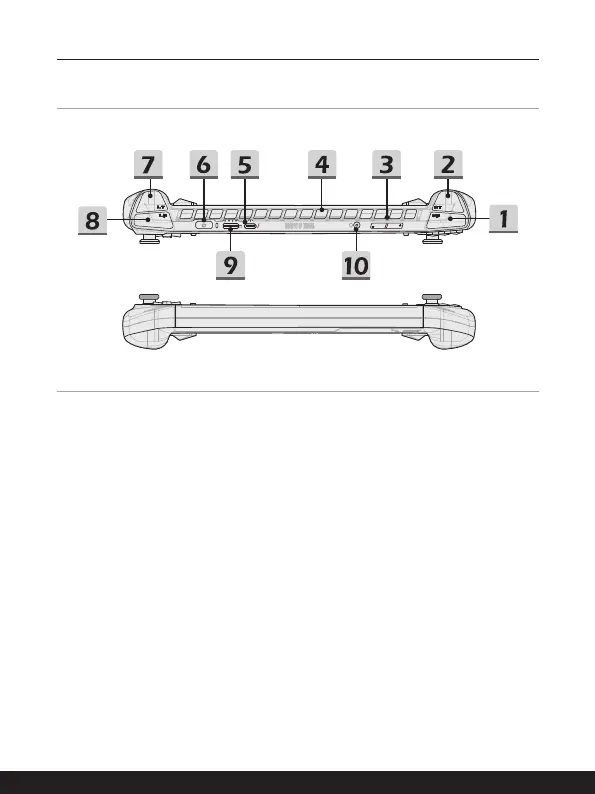
Upper and Lower Side Views
1. RB Button
Control button for game playing.
2. RT Button
Control button for game playing.
3. Volume Buttons
Use both buttons to increase or decrease the built-in speaker’s volume.
4. Ventilator
The ventilator is designed to cool the system. DO NOT block the ventilator for air
circulation.
5. Thunderbolt (USB-C) Port
• Thunderbolt™ 4 , optionally supports USB4, PCIe, HDMI™, DisplayPort
connection; 8K display monitor output; up to 40Gbps transfer rate.
• Supports Power Delivery function with variable up to 65~100W power input and
maximum 5V/3A or 5V/1.5A power output when AC or DC power is connected.
• Supports using a power bank to supply power to the device and charge the
battery. Make sure the charging power output of the power bank meets the
minimum requirements of the device.


 To Next Page