2-14 2-15
Introductions
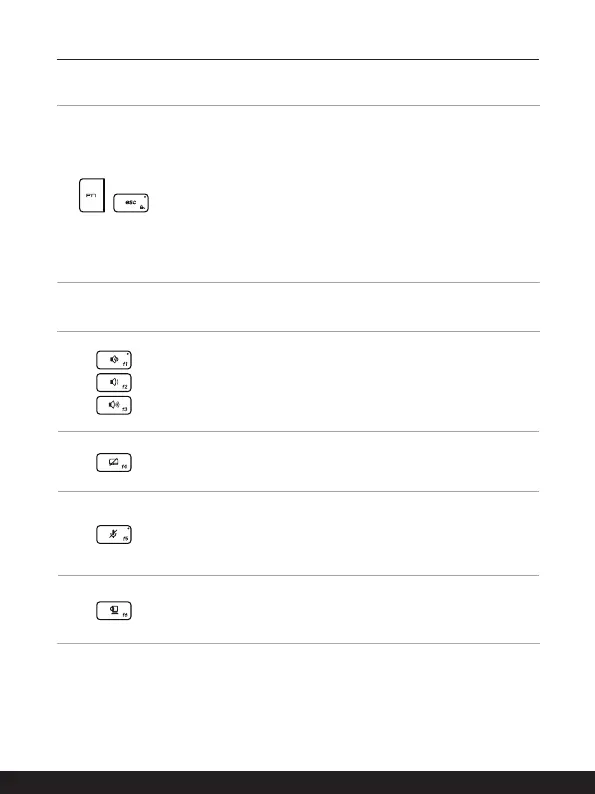
Enable Quick Fn Launch Keys
+
• This notebook is equipped with a set of Quick FN Launch
Keys. Each function key, located on F1 to F12, has a built-in
function that is available to use with an easy single press.
• Users are allowed to enable or disable the Quick Fn Launch
Keys by pressing FN and ESC keys.
• The FN Lock LED indicator, located on the ESC keycap,
glows when F1 to F12 keys are enabled instead of the Quick
FN Launch keys.
• LED indicator goes out when Quick FN Launch Keys are
taking effect.
Use Quick Fn Launch Keys
Speaker Settings
• f1:Mutethebuilt-inspeakers.TheMuteLEDindicator,
located on the F1 keycap, glows when the sound is muted.
• f2:Decreasethebuilt-inspeaker’svolume.
• f3:Increasethebuilt-inspeaker’svolume.
Touchpad
Press to enable or disable the touchpad function.
Microphone
• Press to enable or disable the microphone function.
• The Microphone LED indicator, located on the F5 keycap,
glows when the microphone function is enabled .
Webcam
• Press to turn ON/ OFF the Webcam function on.
• Webcam is turned off under default settings.








 To Next Page