3-24 3-25
Wired LAN
Using cables and network adapters to connect to the Internet. Before setting up the
connection of Dynamic IP/PPPoE or Broadband (PPPoE) or Static IP, contact your
Internet Service Provider (ISP) or network administrator for assistance of setting up
Internet connection.
▶ Dynamic IP/PPPoE Connection
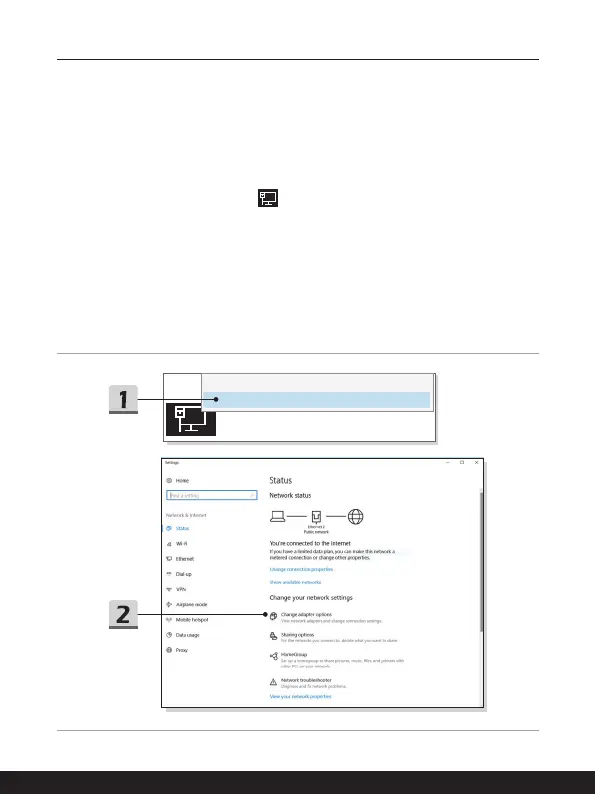
1. Go to the desktop. Find the
icon in the lower-right corner of the task bar, and
then right click on it to select [Open Network & Internet settings].
2. Choose [Change adapter options].
3. Right click on [Ethernet] to select [Properties] from the drop-down menu.
4. In the Ethernet Properties window, select [Networking] tab and check [Internet
Protocol Version 4 (TCP/IPv4)]. Then click [Properties] to continue.
5. Select [General] tab, click [Obtain an IP address automatically] and [Obtain
DNS server address automatically]. Then click [OK].
Troubleshoot problems
Open Network & Internet settings





 To Next Page