3-16 3-17
How to Get Started
How to Set Up Windows Hello Face Login
(optional)
Windows Hello is a more secure, personal way to get instant access to your Windows 10
devices using fingerprint or facial recognition. The feature requires fingerprint reader or a
infrared camera that supports it. Once you’re set up, you’ll be able to sign in with a quick
swipe or glance.
Follow the instructions as below to login with a look. You need to set up a password and
PIN code before you're allowed to use Windows.
Create a Password
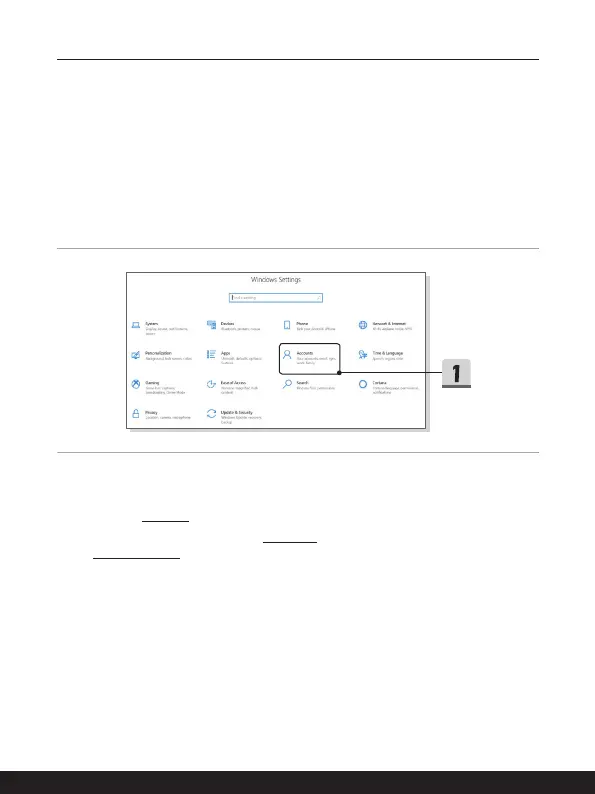
1. Open up Settings, find and click [Accounts].
2. Find [Sign-in options] within the Accounts selection menu, and click [Password] in
Sign-in options.
3. Follow the on-screen instructions to create a new password.
4. Click [Finish] to close.
5. Skip this section, if a password has been set successfully.





 To Next Page