3-18 3-19
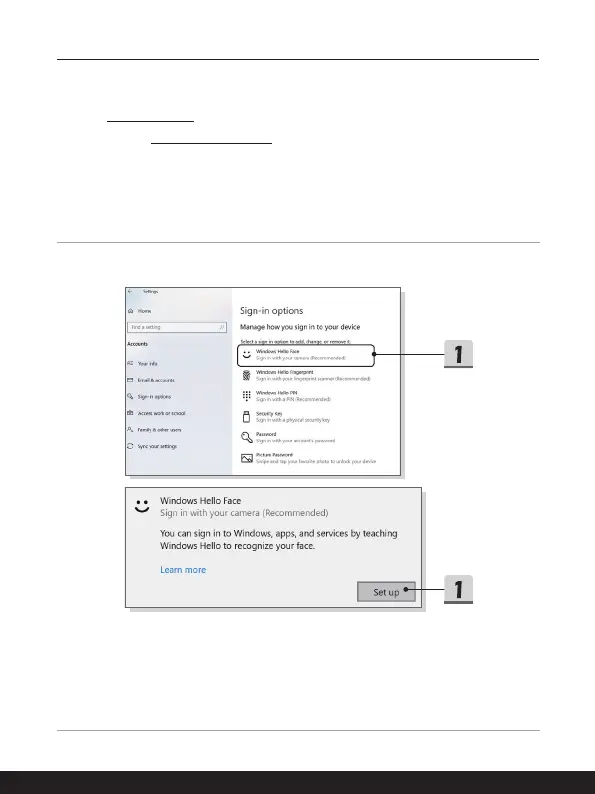
Set up a Facial Login with IR Camera
1. In Sign-in options, click the [Set up] button under [Windows Hello Face].
2. Follow the Windows Hello setup wizards; Click [Get started] button.
3. Position your face in the center of the frame that appears on screen. The camera
will register your face.
4. Complete the setup. If you wore glasses while setting up face recognition, click
[Improve recognition] to go through the setup again without them. This will help the
system recognize you either way. Click [Remove] to cancel the facial login setup.





 To Next Page