2-11
Introductions
+
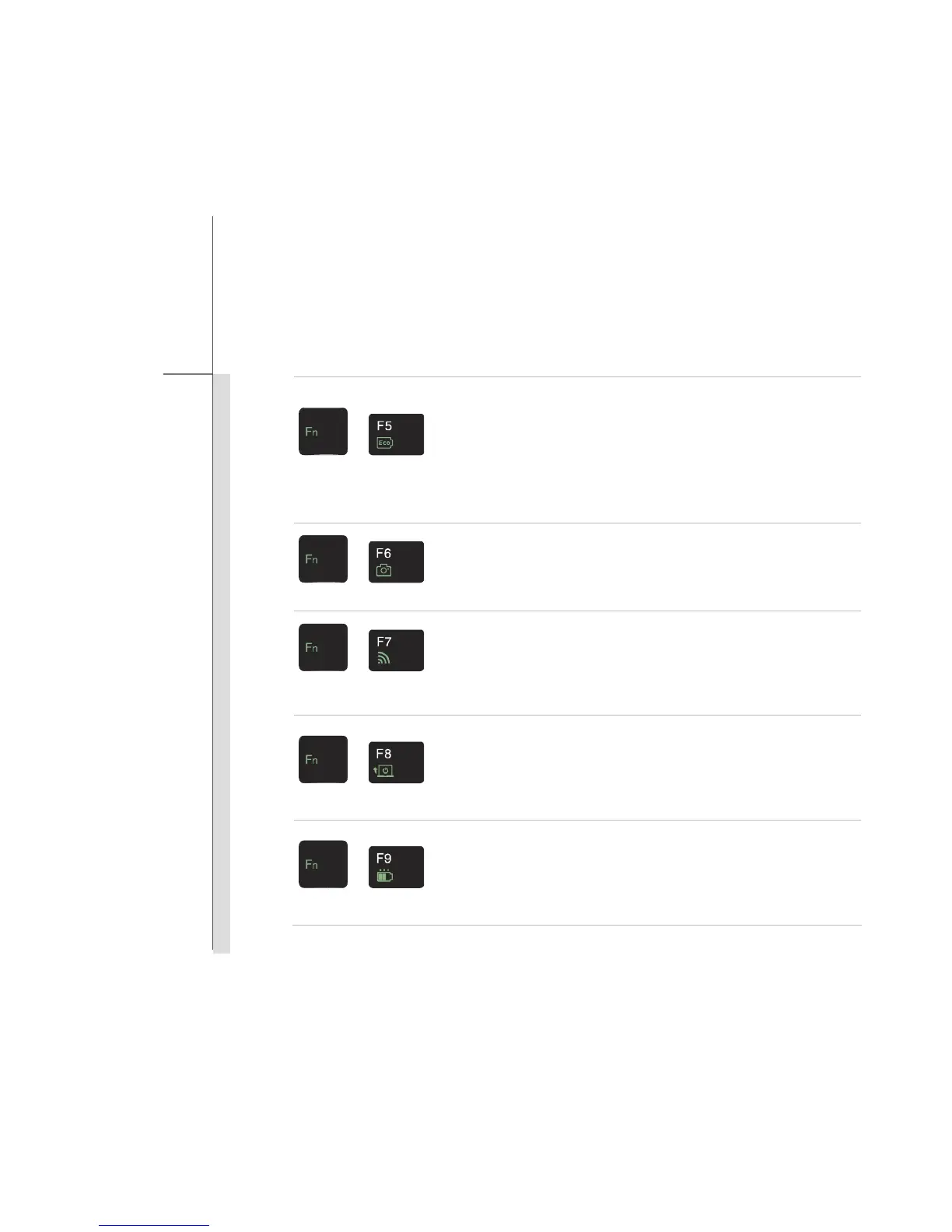
ECO Engine
(Power Saving)
Press Fn once to bring Function Smart tool page. Then press F5
button recurrently to switch among various power saving modes
provided by ECO Engine, or to turn this function off.
Refer to Power Management section of this manual for the detailed
information of this ECO Engine, Power Saving Function.
Note that ECO Engine is an optional function.
+
Webcam
Press Fn once to bring Function Smart tool page. Then press F6
button to turn the Webcam function on or off.
+
WLAN (WiFi)/
Bluetooth
Press Fn once to bring Function Smart tool page. Then press F7
button recurrently to switch among WLAN On, Bluetooth On, BT 3.0
On (WLAN & BT On), and WLAN & BT Off.
+
Seamless Boot-up
Press Fn once to bring Function Smart tool page. Then press F8
button to switch the Seamless Boot-up function on or off.
When this function is set to be On, open the lid cover will boot up
the notebook directly.
+
Power Witness
Press Fn once to bring Function Smart tool page. Then press F9
button to switch the Power Witness function on or off.
When this function is set to be On, the Battery Status LED shows
the battery capacity when the notebook is on or being charged.


 To Next Page