CX61/CR61 (MS-16GB)Disassembly Guide
9、 LCD MODULE ASSY
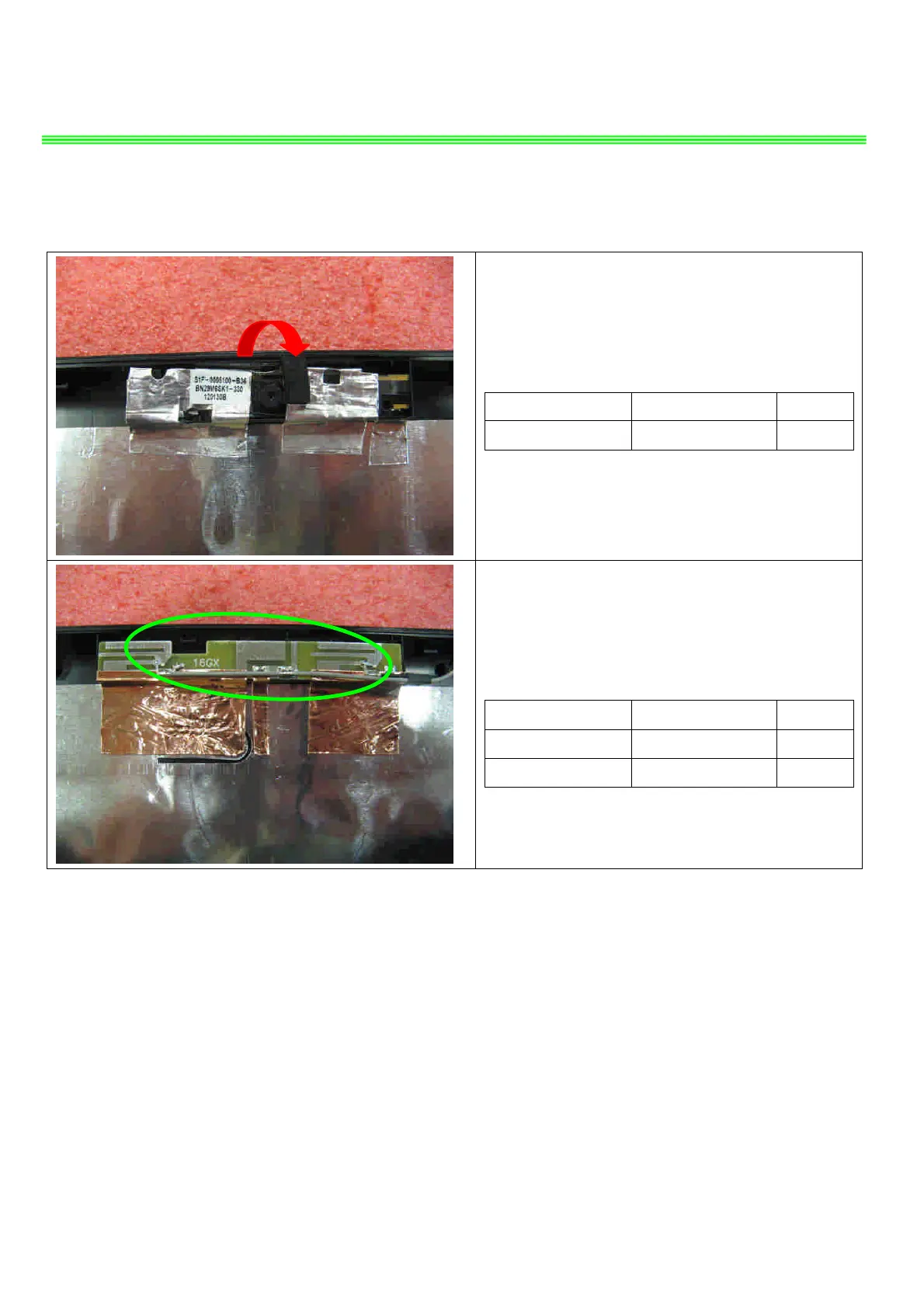
9.10:Remove the CMOS camera module
according to the sequence as pic shows.
Component P/N Qty
Camera Module S1F-0005050-B36 1
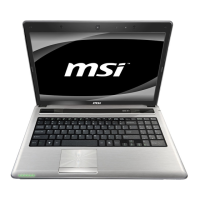
9.11:Remove the WIRELESS Antenna board from
LCD Cover.
Component P/N Qty
Antenna S79-1800Y20-J51 1
LCD Cover 307-6G2A712-P89 1


 To Next Page