CX61/CR61 (MS-16GB)Disassembly Guide
9、 LCD MODULE ASSY
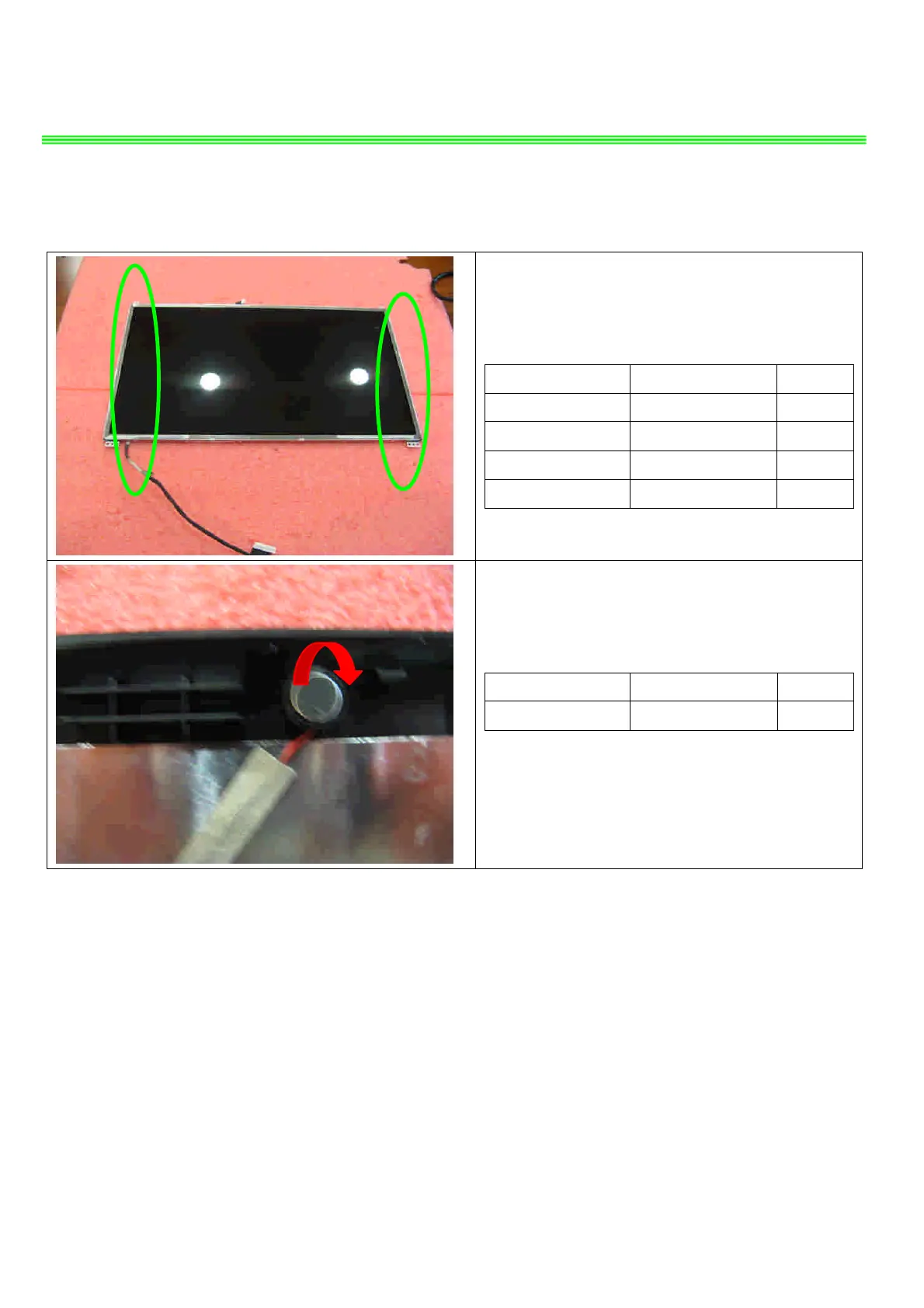
9.8:Remove the 8 screws (M2*3mm).
Attention: the screw driver torque is 1.5-2.0Kgf-cm
Component P/N Qty
Display Module S1J-642G011-S02 1
LCD BRACKET-L E2M-6G10312-A89 1
LCD BRACKET-R E2M-6G10412-A89 1
Screw E43-1203003-H29 8
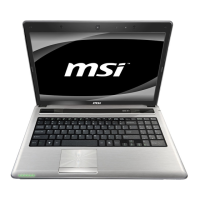
9.9:Remove the MIC Module as left picture show.
Component P/N Qty
MIC Module S34-2101200-K03 1


 To Next Page