CX61/CR61 (MS-16GB)Disassembly Guide
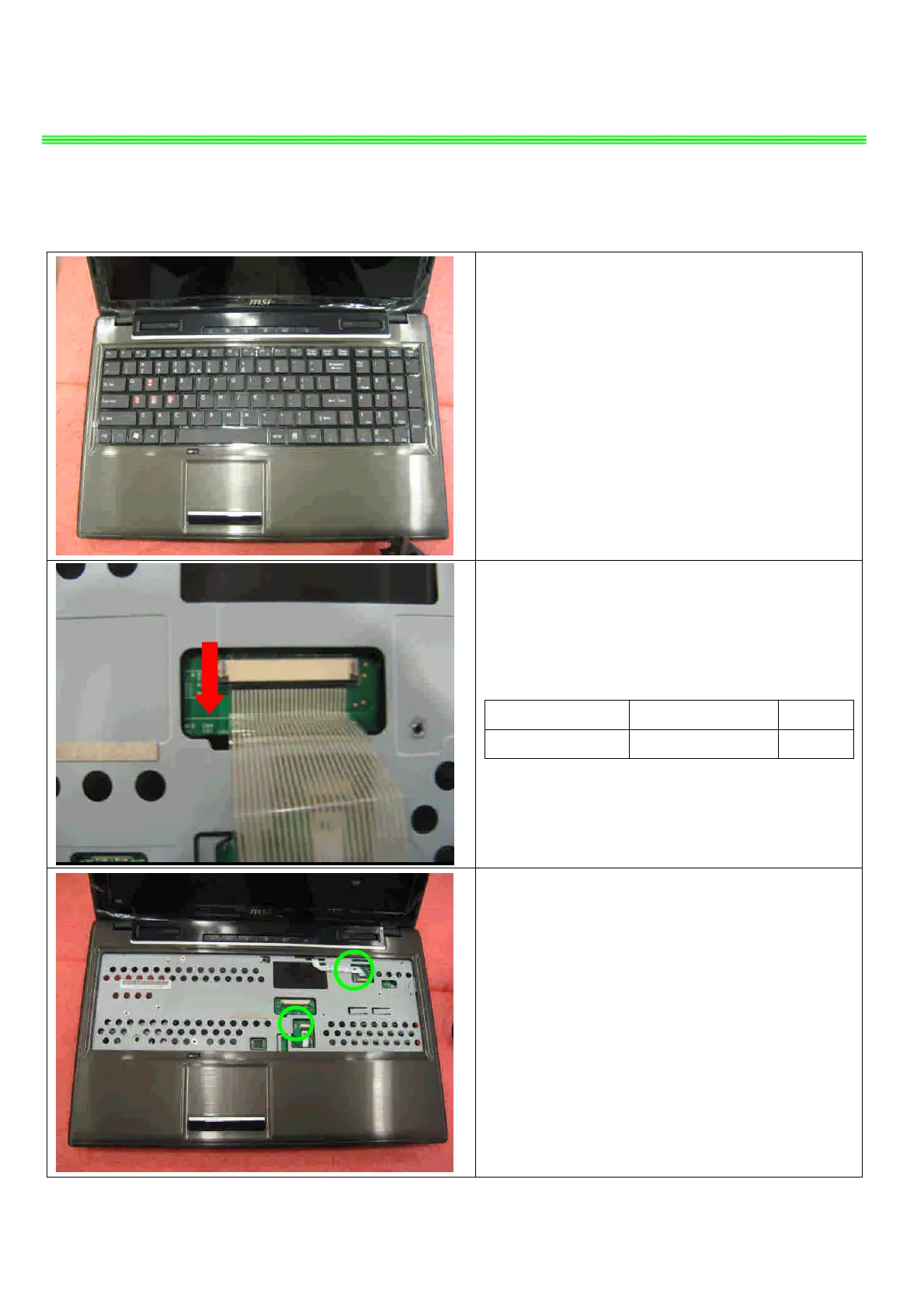
6、SEPARATE UPPER CASE AND LOWER CASE
6.1:Remove the Keyboard. firstly from upside,
then left side to right side, last remove down side.
.
,
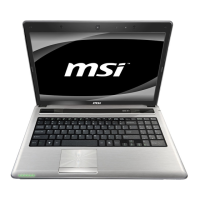
6.2 : Firstly push connector according to the
direction as pic shows; then remove the cable.
Component P/N Qty
Keyboard S1N-3EUS2D1-SA0 1
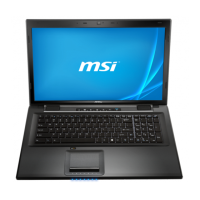
6.3:Remove the cable.


 To Next Page