CX70/CR70 (MS-1755) Disassembly Guide
8、UPPER CASE ASSY
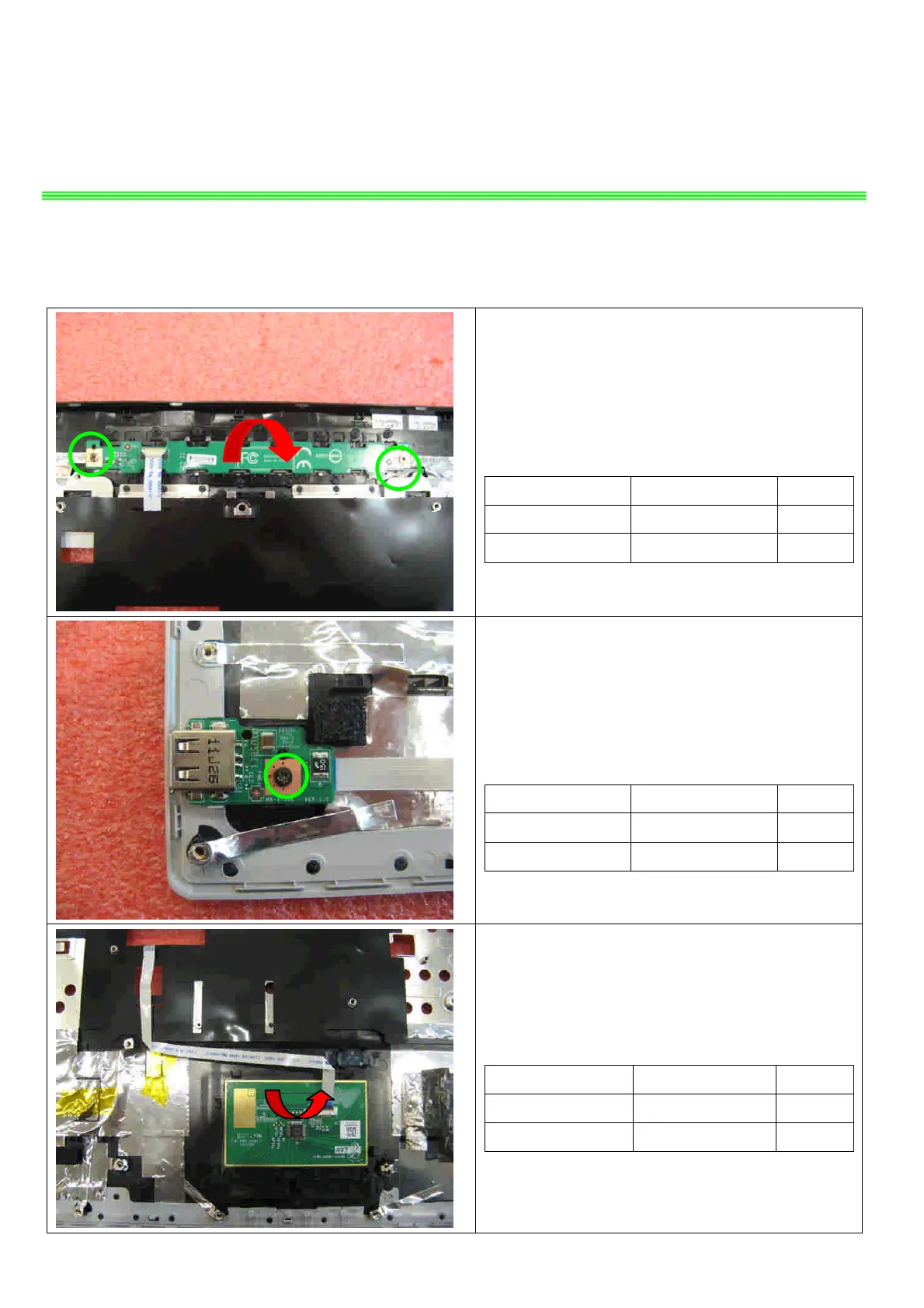
8.1::Remove 2 screws (M2*3.5mm), then remove
the Power board.
Attention: the screw driver torque is 1.5-2.0Kgf-cm
Component P/N Qty
screw E43-1203501-G68 2
Power board 607-1755C-01S 1
8.2 Remove 1 screw (M2*3.5mm), then remove
the USB board.
Attention: the screw driver torque is 1.5-2.0Kgf-cm
Component P/N Qty
screw E43-1203501-G68 1
USB board 607-1755E-01S 1
8.3:Release the connector that stabilize the T/P
Cable, then remove the T/P module.
Component P/N Qty
Upper Case 307-751C226-P89 1
Touchpad Module S78-3700610-E47 1


 To Next Page