CX70/CR70 (MS-1755) Disassembly Guide
9、 LCD MODULE ASSY
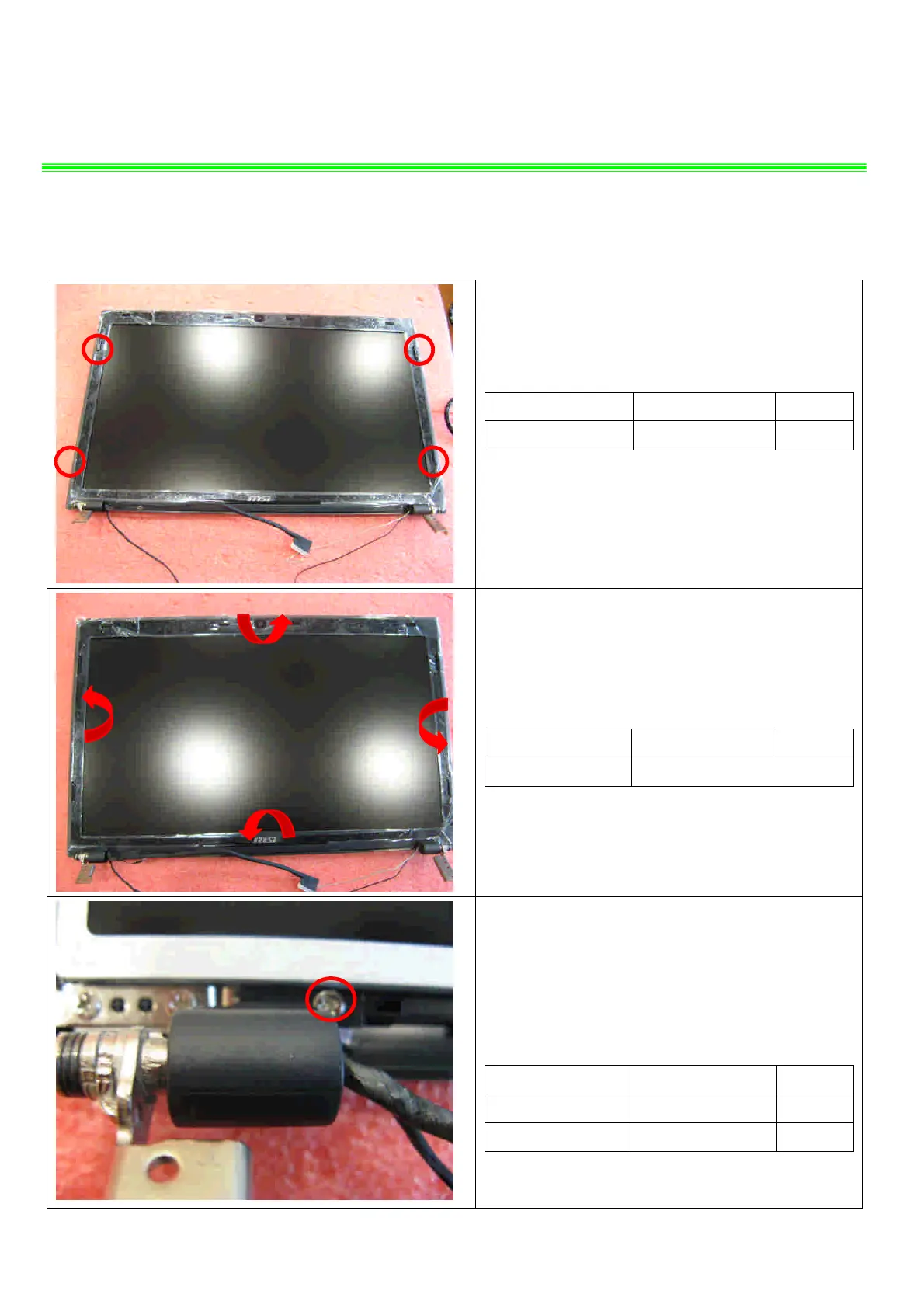
9.1:Remove the 4 cover rubber.
Component P/N Qty
Rubber E2Y-6G10511-Y40 4
9.2:When remove the LCD bezel, should begin
from the upside, then the two sides to downside.
Component P/N Qty
LCD Bezel 307-751B213-U22 1
9.3::Remove the 1 screw (M2.5*4.5mm), then
remove the left hinge cap.
Attention: the screw driver torque is 1.5-2.0Kgf-cm
Component P/N Qty
HINGE CAP_L E2P-7510812-P89 1
screw E43-1254503-G68 1


 To Next Page