34
System Setup
System Setup
⚠
Important
Before removing or installing any components, make sure the system is not turned on
or connected to the power.
Drive Bay
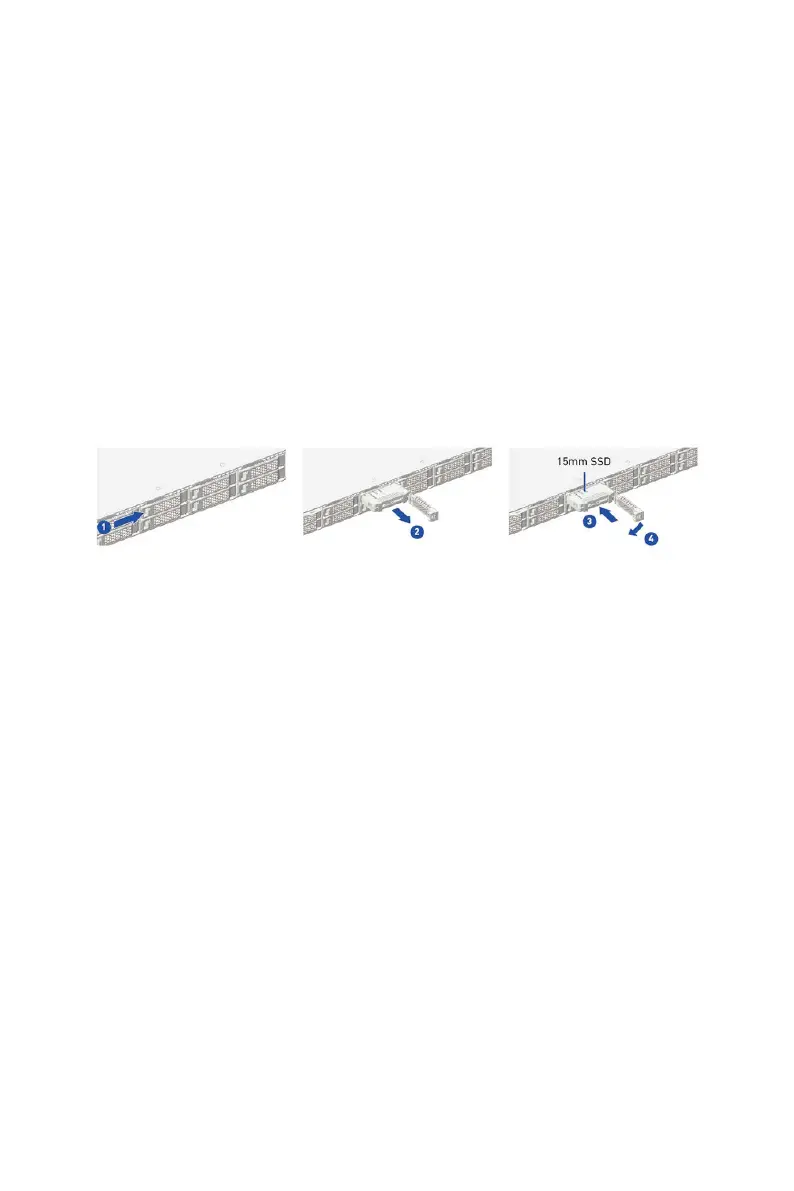
Installing 2.5" HDD/ SSD
1. Press the tray button to release the lever.
2. Pull the HDD/ SSD assembly out of the drive bay.
3. Insert the HDD/ SSD horizontally.
∙
The interposer BKT act as dummy HDD/ SSD when no drive inside.
∙
The interposer BKT act as spacer to support 7nm HDD/ SSD.


 To Next Page