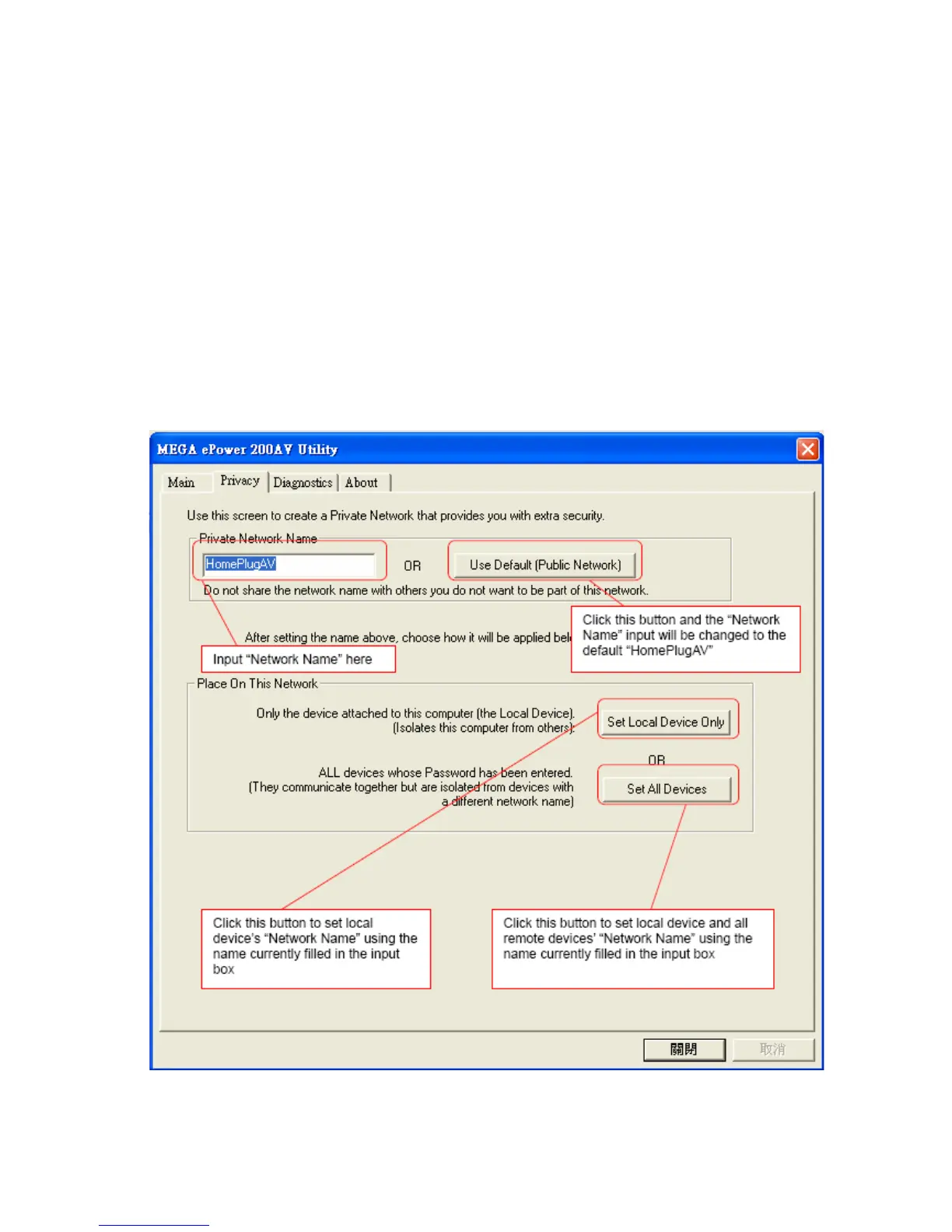
2.2. Privacy Frame
When rolling out of factory, every 200Mbps PLC-Ethernet Bridge device carries a default
logical network name: “HomePlugAV”. The “Privacy” frame provides functions to
manage this logical network name and create private network.
“Use Default (Public Network)” button
You can directly set the network name back to the default “HomePlugAV” by clicking the
“Use Default (Public Network)” button first, then press the “Set Local Device Only” button.
Figure 8: Privacy Frame Screen
11



 To Next Page