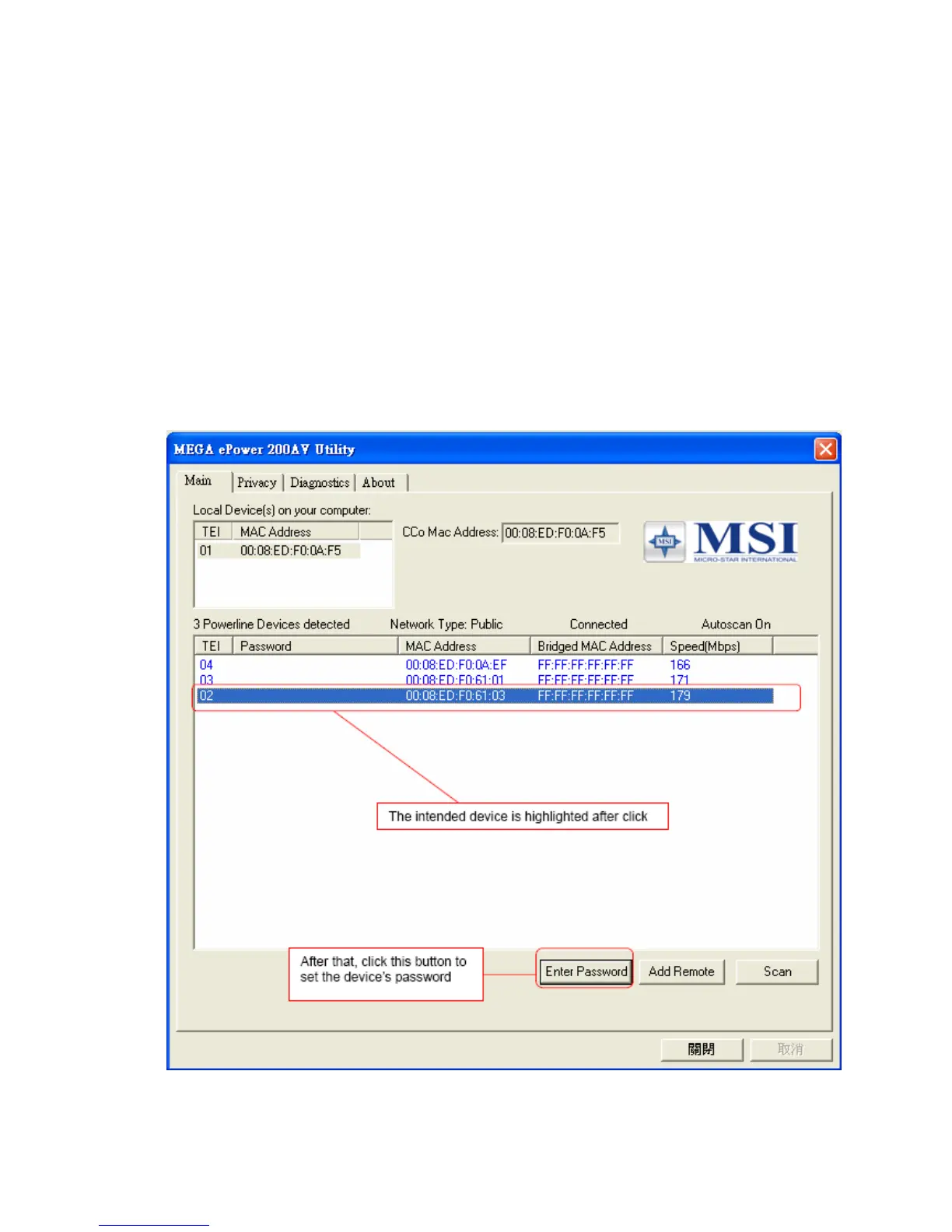
The “Speed(Mbps)” column shows the remote device’s mutual transmit speed with
the local device, in Mbps(Million bits per second).
“Enter Password” button
If you want to create a private network, you need to enter the device password first.
Please click on the intended device to make it highlighted then click the “Enter
Password” button(Figure 5), and the “Set Device Password” dialog box will show
up(Figure 6). The selected device’s TEI and MAC address are shown in the dialog
box. After entering the password, click “OK” button. If the input password does not
match the device’s real password, error message will be shown and please retry
again.
Figure 5: Click on the intended device
8



 To Next Page