En-20
MS-7599 Manboard
▍
Switch
Ths manboard provdes the followng swtch for you to set the computer’s functon.
Ths secton wll explan how to change your manboard’s functon through the use of
swtch.
Easy OC Swtch: OC_SW1 (optonal)
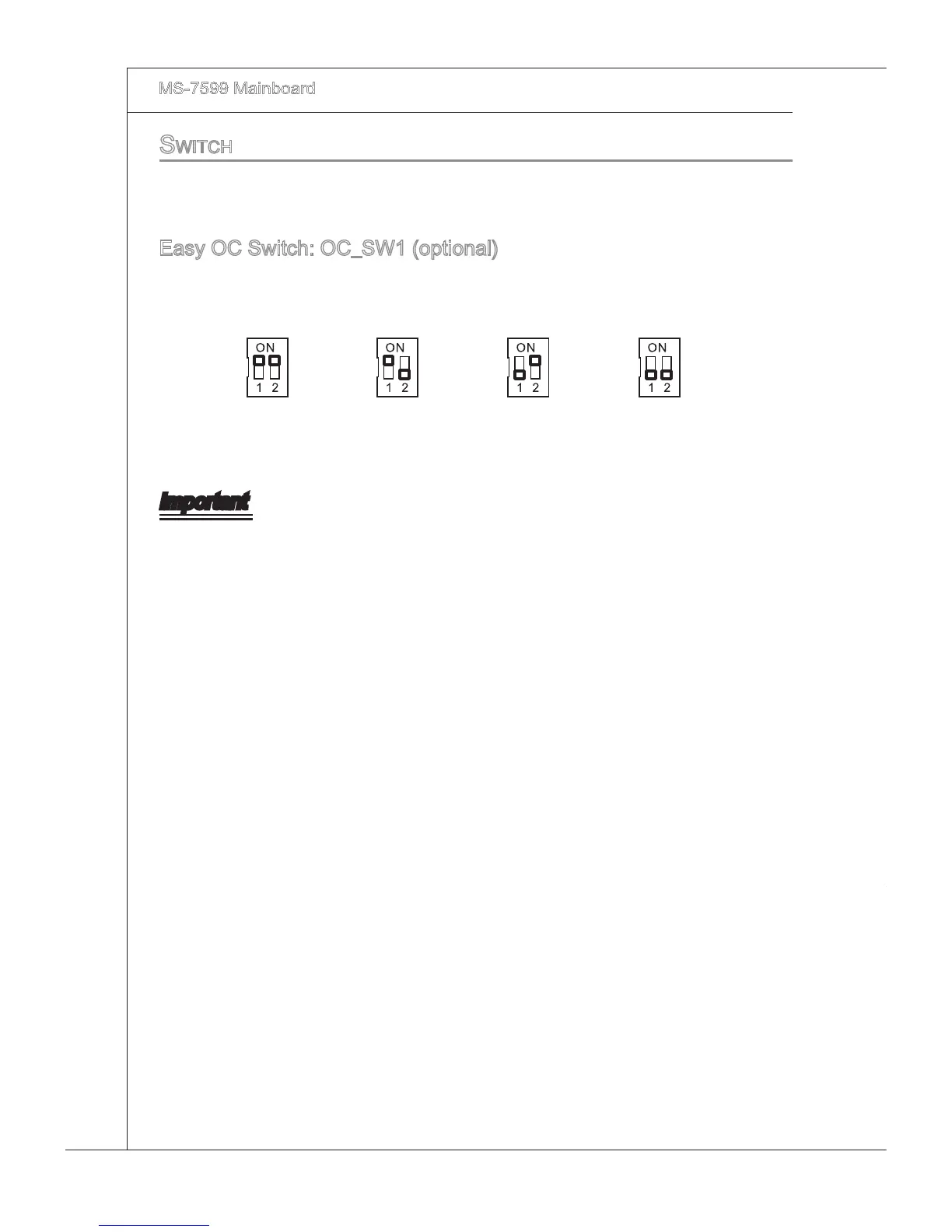
You can overclock the FSB to ncrease the processor frequency by changng the swtch.
Follow the nstructons below to set the FSB.
Default Increase 10%
speed of FSB
Increase 15%
speed of FSB
Increase 20%
speed of FSB
Important
Make sure that you power o the system before settng the swtch.
When overclockng cause system nstablty or crash durng boot. Please set the
swtch to default settng.
•
•



 To Next Page