En-28
MS-7599 Manboard
▍
The Man Menu
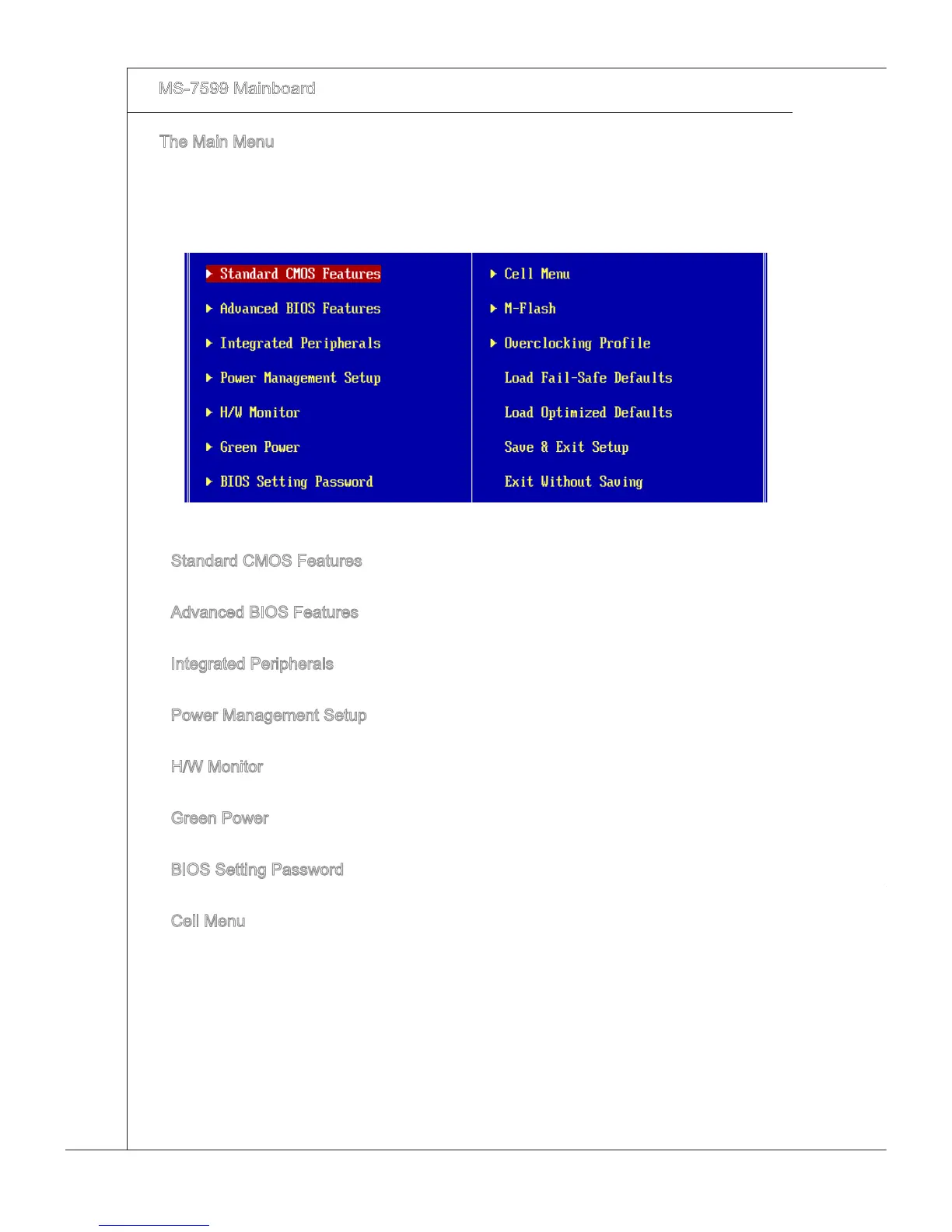
Once you enter BIOS CMOS Setup Utlty, the Man Menu wll appear on the screen.
The Man Menu allows you to select from the setup functons and two ext choces.
Use arrow keys to select among the tems and press <Enter> to accept or enter the
sub-menu.
Standard CMOS Features
Use ths menu for basc system conguratons, such as tme, date etc.
Advanced BIOS Features
Use ths menu to setup the tems of the BIOS specal enhanced features.
Integrated Perpherals
Use ths menu to specfy your settngs for ntegrated perpherals.
Power Management Setup
Use ths menu to specfy your settngs for power management.
H/W Montor
Ths entry shows your PC health status.
Green Power
Use ths menu to specfy the power phase.
BIOS Settng Password
Use ths menu to set the password for BIOS.
Cell Menu
Use ths menu to specfy your settngs for frequency/voltage control and overclockng.
▶
▶
▶
▶
▶
▶
▶
▶



 To Next Page