B-4
Intel SBA
Password settngs
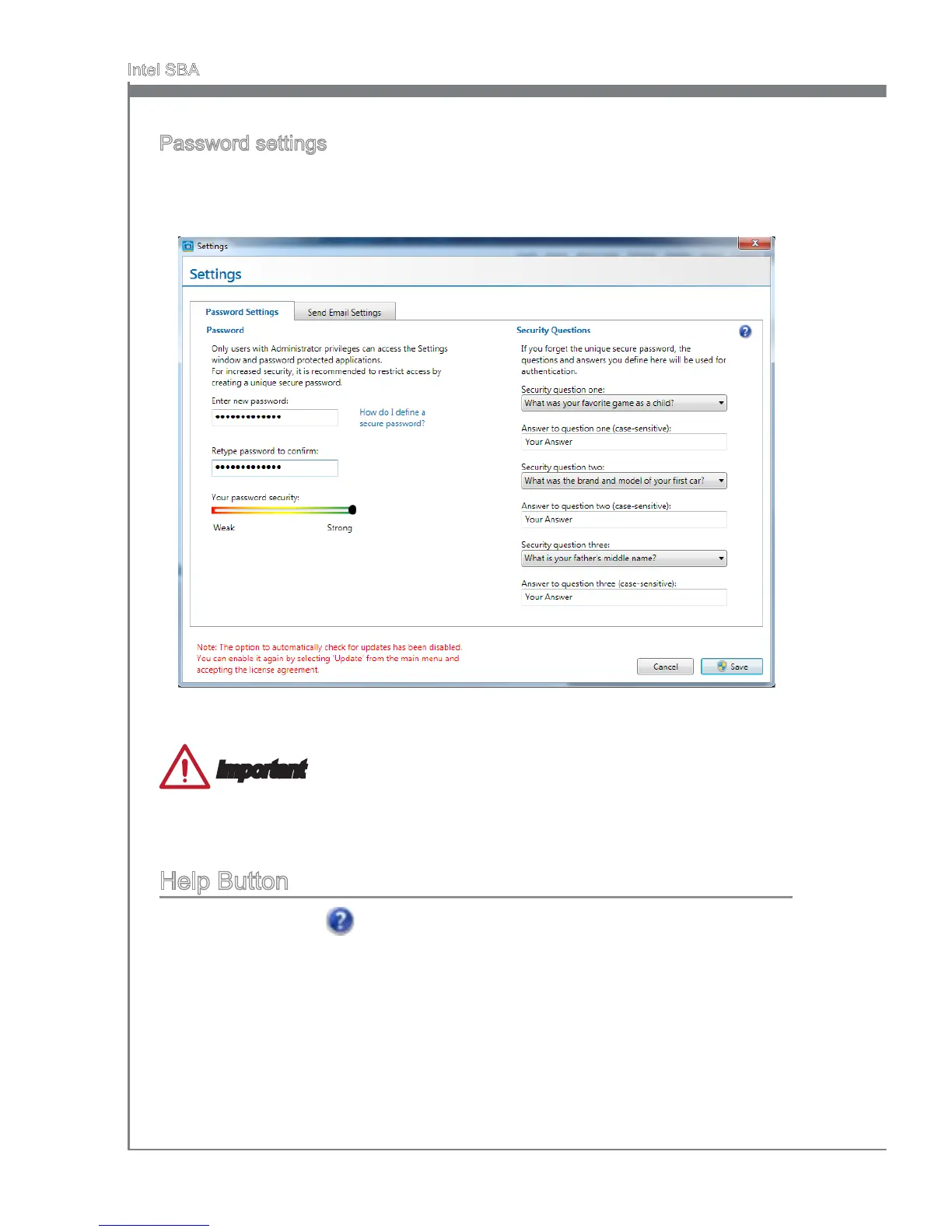
By default, the system s n an uncongured state. Before the hardware capabltes can
be used by Intel SBA software, the system must be congured. Ths s done n the Set-
tngs > Password Settngs tab n the man menu of the GUI.
Fll out the form to create the new password and clck “Save”. You wll be asked to enter
the password when you want to start usng Intel SBA.
Important
Upon completon of the password settngs, please keep your password secure.
Please remember your answers to the securty questons.
Help Button
There s a help button on the top rght. If you need to know detaled ntroductons.
Just clck on the help button, to get the nformaton.
•
•


 To Next Page