C-2
Install Wndows XP Notes
Installng Wndows XP wth IDE Mode
You wll fal and encounter a blue screen whle nstallng Wndows XP, because t s
not natvely supported to be nstalled n the storage devce wth AHCI mode. If you stll
prefer to nstall Wndows XP as the operatng system, please change the BIOS tem as
below.
Refer to Chapter 2 to access BIOS.
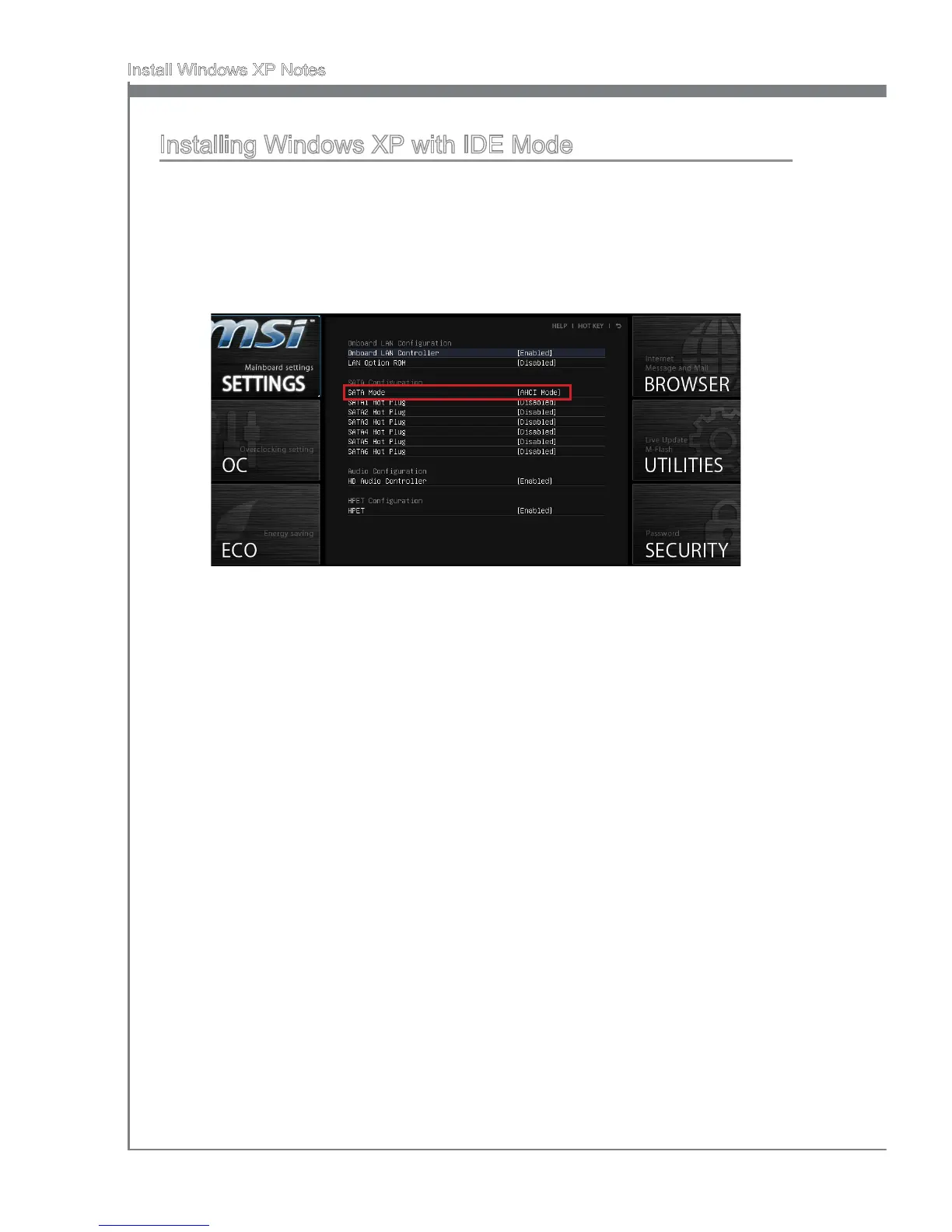
Go to SETTINGS → Integrated Perpherals → SATA Mode.
1.
2.
Set ths tem to IDE mode.
Go to SETTINGS → Save & Ext → Save changes and reboot.
Install the Wndows XP operatng system.
3.
4.
5.


 To Next Page