User Manual | MTI 424, 423, & 421 11
Swivel Operation
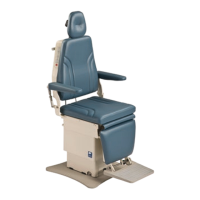
The swivel is a factory installed feature for the 421/423/424 Model chairs. See also “Controls” on page 9 of this
manual. Swivel mode is the condition when the swivel lock is unlocked and the chair can swivel freely.
There are two methods to operate the swivel on the 421/423/424 Model chairs. Follow the step(s) below for the
desired method.
Method 1: Auto engage mode is a swivel mode which will unlock the swivel for 6 seconds and automatically engage
the lock after 6 seconds.
1. Press the swivel button on the control and release it within two seconds.
2. Swivel enters swivel mode for 6 seconds.
3. Swivel the chair to the desired location.
4. After 6 seconds swivel lock will automatically engage.
• If the chair is in swivel mode and the swivel button is pressed again, the swivel lock immediately engages.
• If the chair is in swivel mode and any other command button is pressed, the swivel lock immediately engages.
Method 2: Press and hold mode is a swivel mode where the swivel will unlock as long as you hold down the swivel
button on the control. Once you release the swivel button, the swivel lock will engage.
1. Press and hold swivel button on the control for longer than two seconds.
2. Swivel enters swivel mode until swivel button is released.
3. Swivel the chair to the desired location.
4. Stays in swivel mode as long as the swivel button is held down and immediately engages swivel lock upon
button release.
NOTICE/AVIS
The swivel will lock if the swivel is unlocked and another button is pressed.
Le pivot se bloque si le pivot est déverrouillé et un autre bouton est pressé.
NOTICE/AVIS
The swivel will unlock if the chair loses power. If power is lost, install the swivel bolt removed in step 11 of the Set-up
instructions on page 8.
Le pivot va déverrouiller si l’équipement perd son alimentation. Si l’alimentation est perdue, installez le boulon pivotant
retiré à l’étape 11 des instructions de configuration à la page 8. .


 To Next Page