10 User Manual | MTI 527, 527W, & 526
Controls
Foot Control/Hand Control
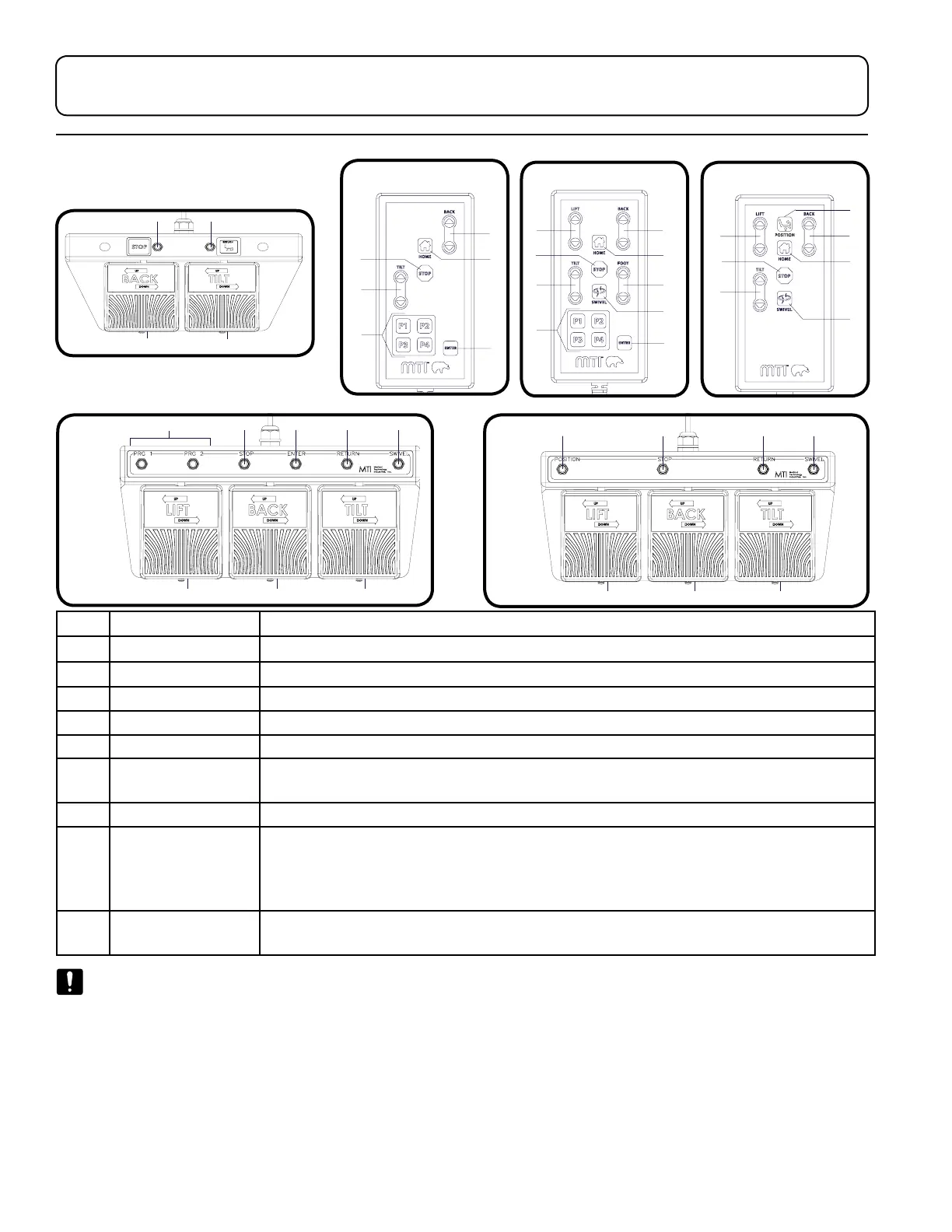
ITEM DESCRIPTION FUNCTION
1 Lift Pedal/Button Raises or lowers the chair top by pressing the desired direction
2 Back Pedal/Button Raises or lowers the backrest by pressing the desired direction
3 Tilt Pedal/Button Decreases or increases the angle of the seat by pressing the desired direction
4 Program Buttons Moves the chair to a user programmed position
5 Stop Button Stops all movement of chair
6 Enter Button Press this button followed by a program button to save the current position of the chair
as a programmed position.
7 Return Button Returns the chair to the home position (Lift Down, Tilt Down, and Back Up)
8 Swivel Button Pressing and releasing the swivel button within two seconds will allow the chair to
swivel for six seconds or until the swivel or any other button is pressed. Pressing and
holding the swivel button for longer than two seconds will allow the chair to swivel
until the button is released. See “Swivel Base Operation” on page 13 for more details.
9 Rapid Position
Button
Operates the Lift Up and Tilt Up functions simultaneously.
NOTICE/AVIS
For additional safety, any button will stop all motions except for the same button that was pressed to initiate movement.
Pour plus de sécurité, n’importe quel bouton peut arrêter tous les mouvements à l’exception du bouton même qui a été
pressé de commencer le mouvement.
527P/527WP
527P/527WP
527S/527WS
527S/527WS
526
526


 To Next Page