18 User Manual | MTI 527, 527W, & 526
Scu Cover Replacement Instructions
Introduction
These instructions illustrate how to replace the scu
cover for a 527 and 527W Procedure chair.
Procedure
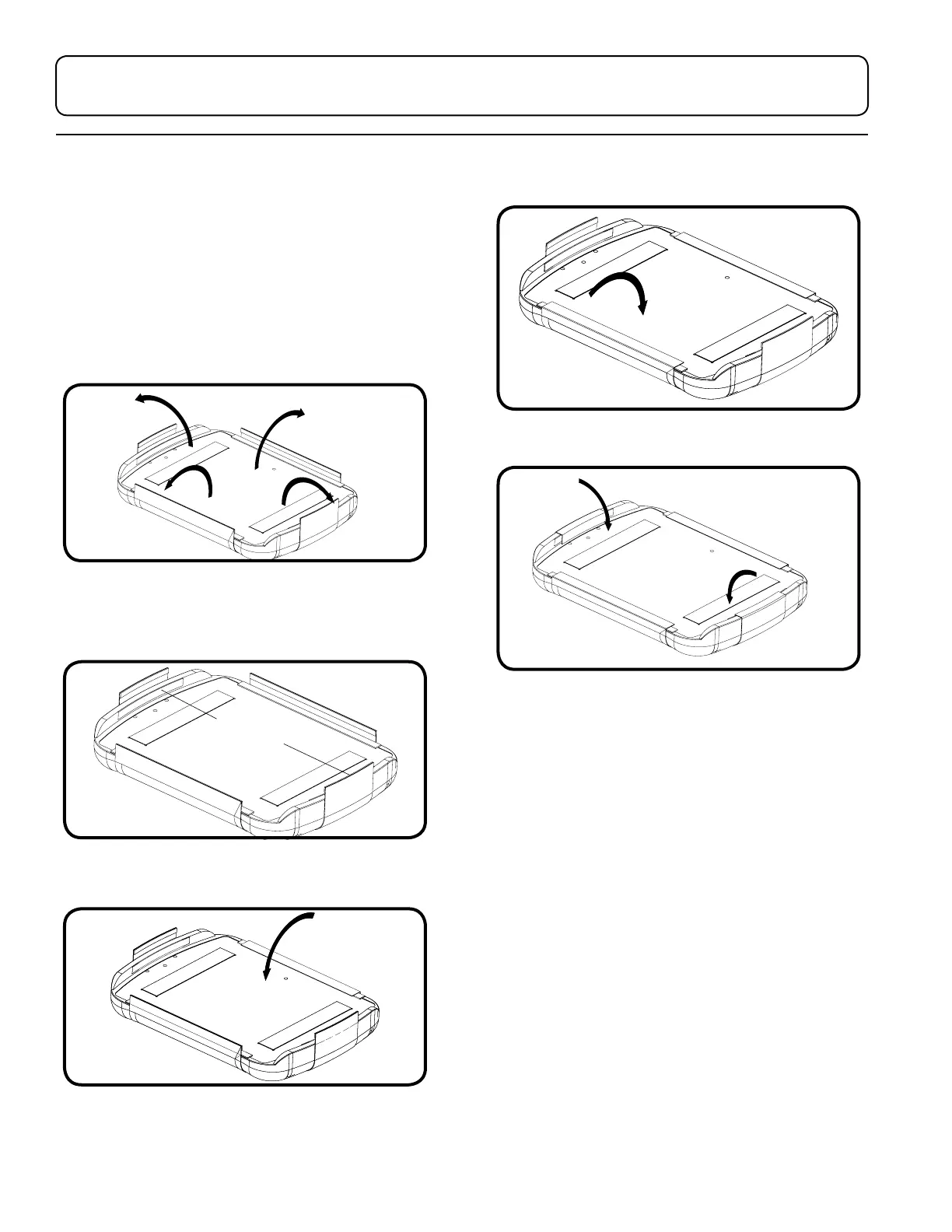
1. To remove the scu cover, pull o the foot
section and pull up the Velcro
®
on the underside.
2. To attach the new scu cover, place the scu
cover on a flat surface. Center the upholstery on
the scu cover. Check if it is centered by folding
up the sides of the scu cover.
3. Attach the top edge of the scu cover to the foot
cushion.
4. Attach the bottom side of the scu cover to the
upholstery cushion.
5. Attach the sides of the scu cover to the
upholstery cushion.
6. Reattach the foot section upholstery by following
“Unpacking and Set-up” on page 8.


 To Next Page