RAPIDDOC
®
PRO KIOSK INSTALLATION GUIDE
3
MTI P/N 063-00180 rev E ©2021 MTI All Rights Reservedwww.MTIGS.com | T:801.653.3807
1
3 4
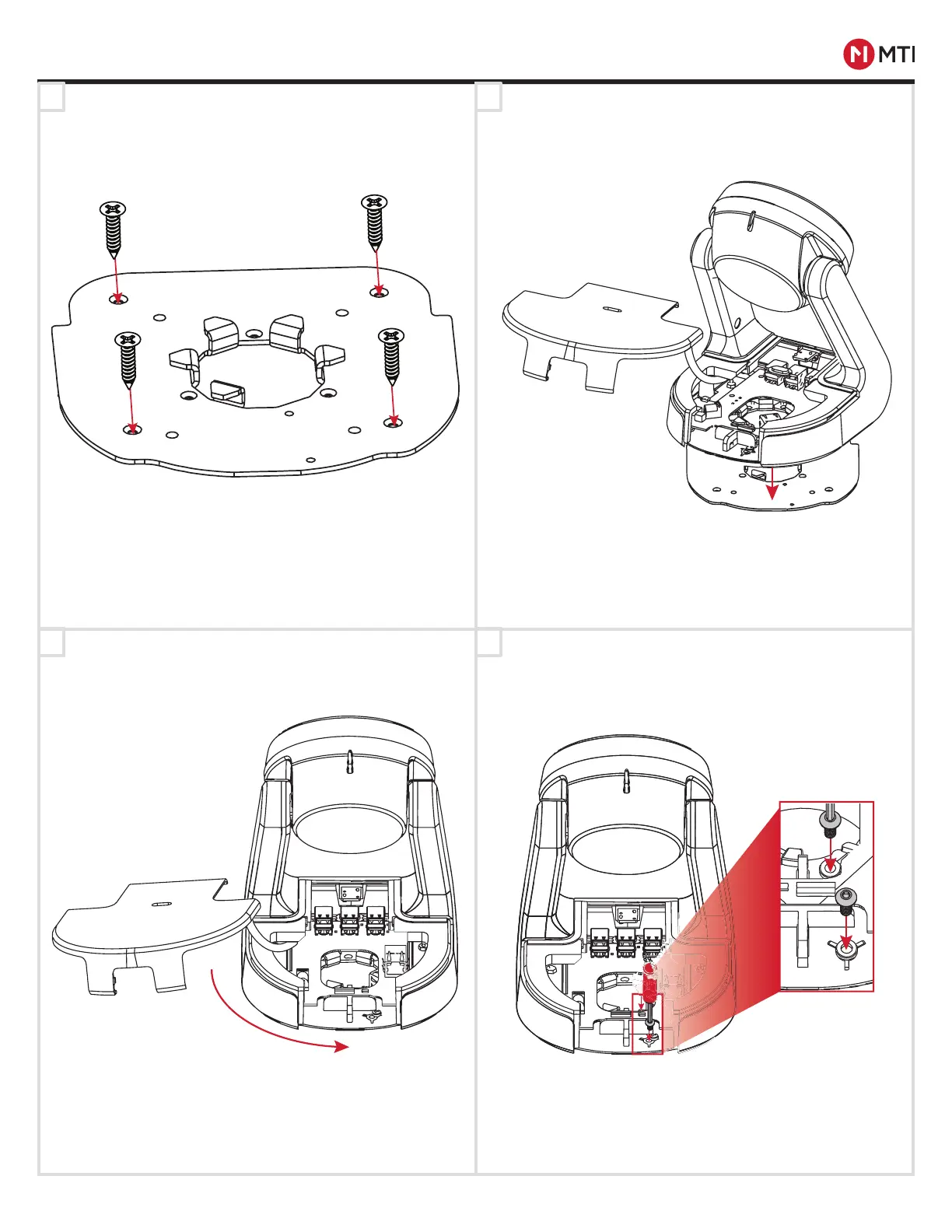
BASEPLATE MOUNTING
1 2
Using the mounting screws, place the mounting plate in
the desired location. See Page 9 for a Mounting Plate
drill template.
Lock the kiosk into place by rotating it counter
clockwise on the plate.
Place the kiosk by lining up the opening on the bottom of
the kiosk with the teeth on the mounting plate.
Secure the kiosk to the mounting plate using the two
security screws and the Red Handle Tool.
-CONTROLLED DOCUMENT- 063-00180 E-0 Status: Approved ECO-112676
ECO-112676


 To Next Page