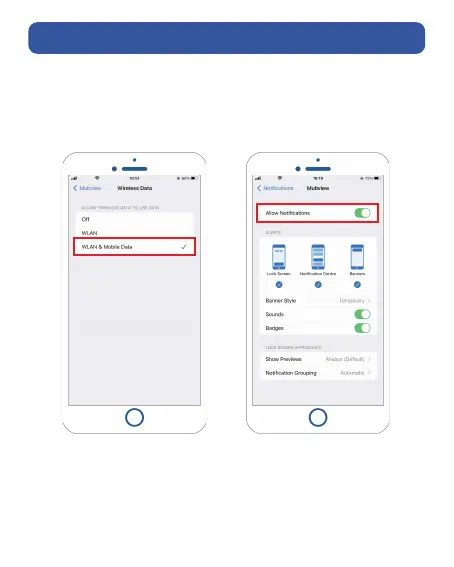
1. Allow 'MUBVIEW' App to access mobile cellular data and
wireless LAN, or it will fail to add camera.
2. Allow 'MUBVIEW' App to receive pop-up messages,
otherwise the smart phone will not receive notification
when motion is detected.
① MUBVIEW oers a free 7-day cloud storage with the basic version,
or you can insert a Micro SD card into the camera to store videos.
② The camera works with 2.4GHz and 5GHz Wi-Fi.
③ When connecting to network, please take the camera closer to
your WiFi router, to ensure a stable network signal.
Preparations for Connection


 To Next Page