You can modify or add related information in this module, or make settings after the initial setting is completed.
7.1 Feedback
This module can record and establish the file of the diagnosed vehicles, including all diagnostic-related data such as diagnostic reports, and data stream records.
7.2 Consuit
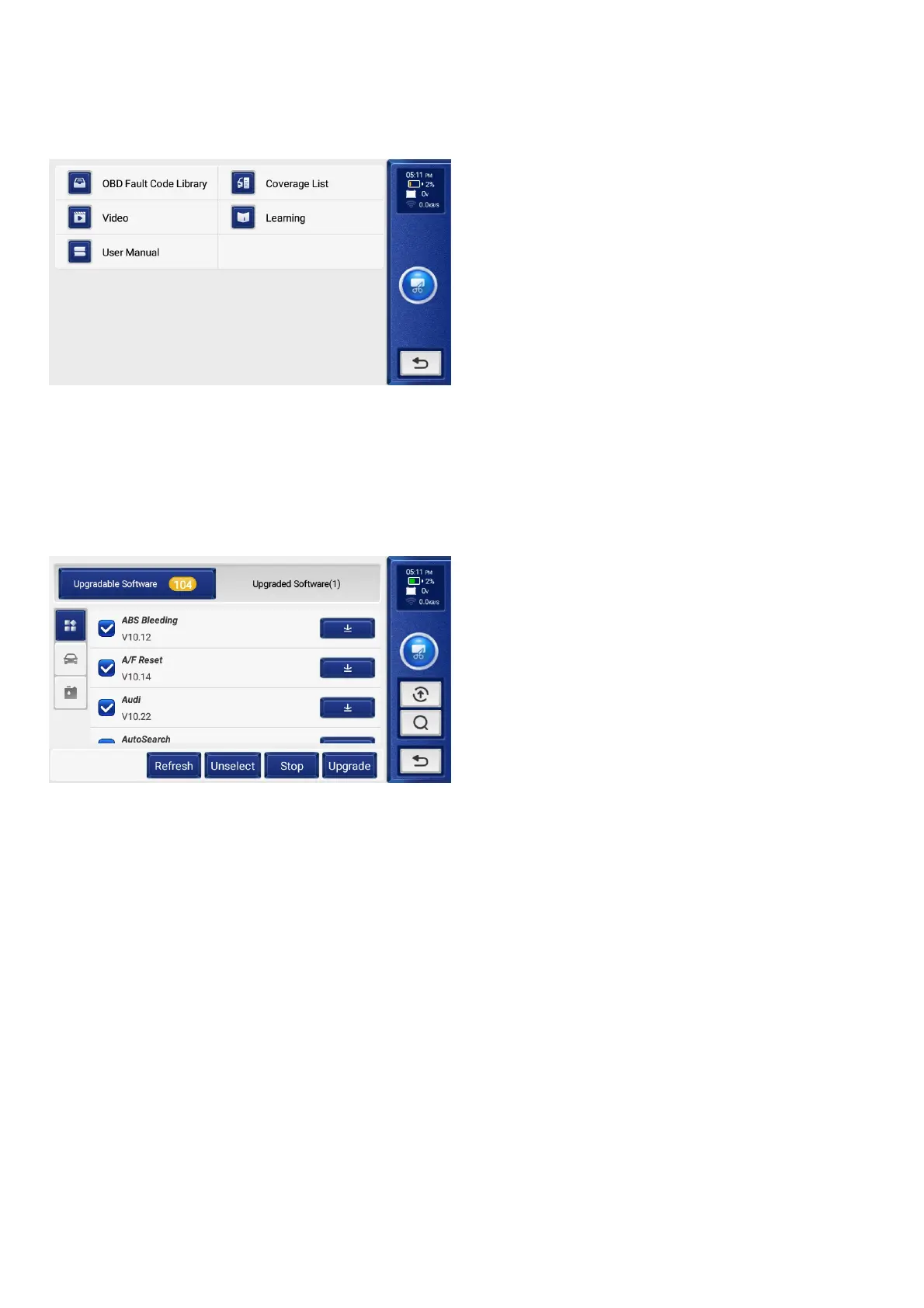
This module includes four sections:
1) Instruction: View Product Brochure.
2) Coverage List: The supported vehicles’ information.
3) Videos: Contains table usage tips, maintenance, and diagnostic guides.
4) Learning: Demonstrates how to operate the tool.
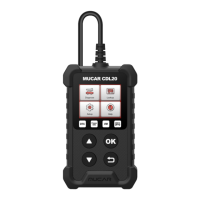
09 Update
This module allows you to update the diagnostic software & App to the latest version.
A pop-up message will indicate newer software is available if you don't update the software in the process of registration.
7.4 Browser: Built-in Google Chrome.
7.5 Clear Data: Clear user data.
7.6 Firmware Fix: Used to update the firmware.
7.7 Automatically Send Reports: Automatically send diagnostic reports to designated email addresses.
7.8 Report Receiving Email: Fill in an email address for receiving reports.
7.9 Help: Equipment FAQ.
7.10 About: Basic information about this device.
7.11 Screen Shots: Use this switch to take a screen capture.
7.12 Photo Album: Screenshot storage.
7.13 Screen Floating Window: Turn on this switch to record the screen operation video.
7.14 Screen Record: Screen recording video storage.
7.15 File Manager: System file manager.
7.16 WI-FI: Set the connectable Wi-Fi network.
7.17 Language: Select the tool language.
7.18 Time zone: Choose the time zone of the current location, then the system will automatically configure the time 7.19 according to the time zone you chose.
7.20 Sleep Time: Set sleep time to save battery power.
7.21 Unit Of Measure: Metric/imperial.
7.22 Customer Service: Customer Service Icon Switch.
7.23 Use 24-Hour Format: Time format switching.
7.24 Brightness: Set screen brightness.


 To Next Page