* Note: Follow the prompts to proceed if the communication failure occurs.
6.1.2 System Scan
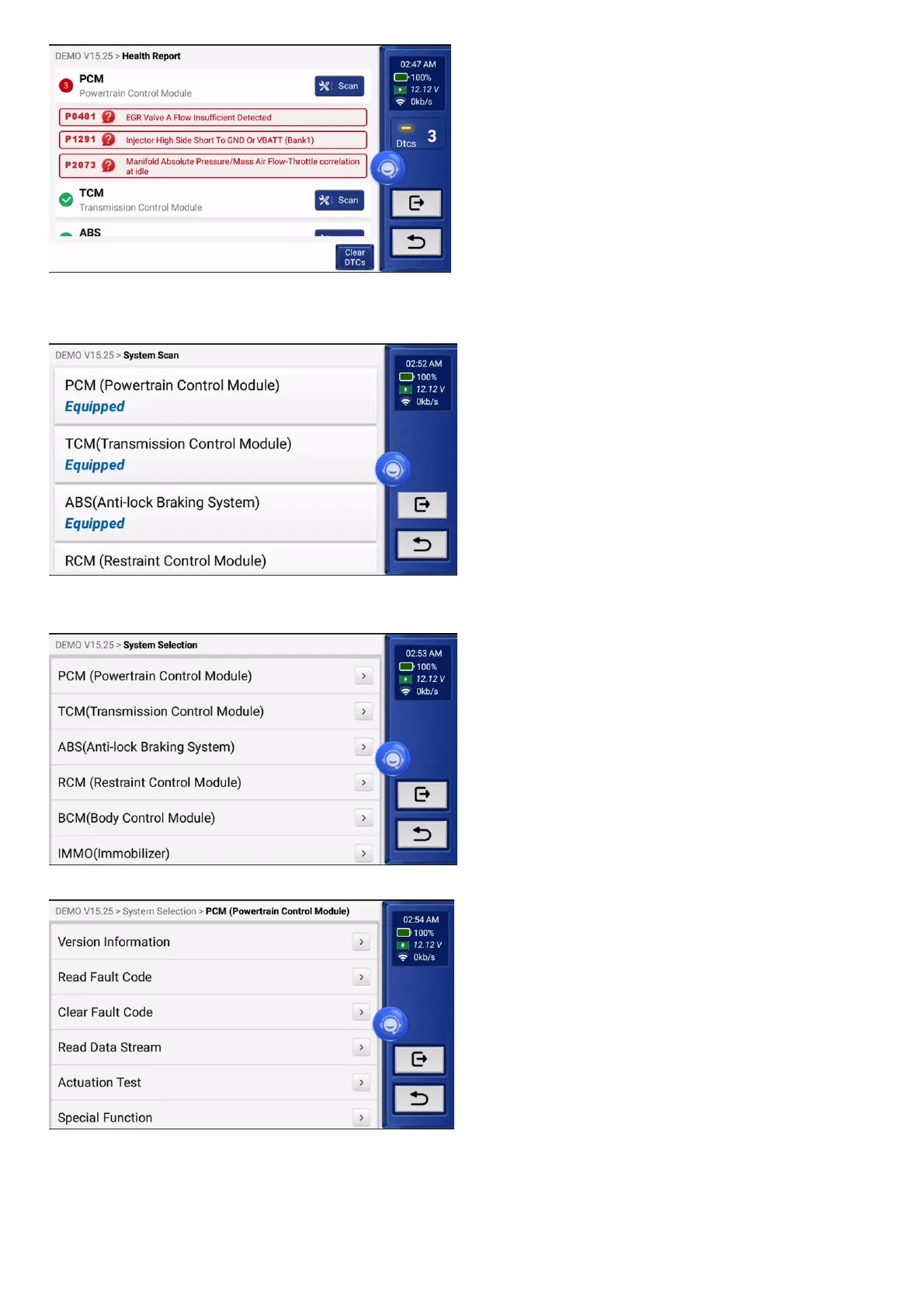
This function will automatically scan all systems of the vehicle.
6.1.3 System Selection
This function allows you to manually choose the automotive electronic control system. Tap "PCM" (e.g.). The screen will show the selection interface.
Choose the system to be tested.The following screen may vary by vehicle's make, model, and year.
6.1.3.1 Version Information
This function reads the current version information of ECU.
6.1.3.2 Read Fault Code
This function can read the Diagnostic Trouble Codes (DTCs) in the ECU memory, helping quickly identify the cause of the vehicle breakdown.
Tap "Read Fault Code". The screen will display diagnostic results.


 To Next Page