16
PRESSURE COOKING
TURN TO AIRTIGHT
A
i
r
t
i
g
h
t
E
x
h
a
u
s
t
There are 14 Menu functions programmed for your pressure cooker. They are
Oatmeal, Soup/Broth, Poultry, Yogurt, Egg, Bean/Chili, Rice, Meat/Stew, Cake, Slow
Cook, Steam, Saute, Multigrain, Canning. The default times are programmed for quick
and easy cooking for portions of food less than 3lbs.
You can also manually set your own custom program by using the Pressure Cook button.
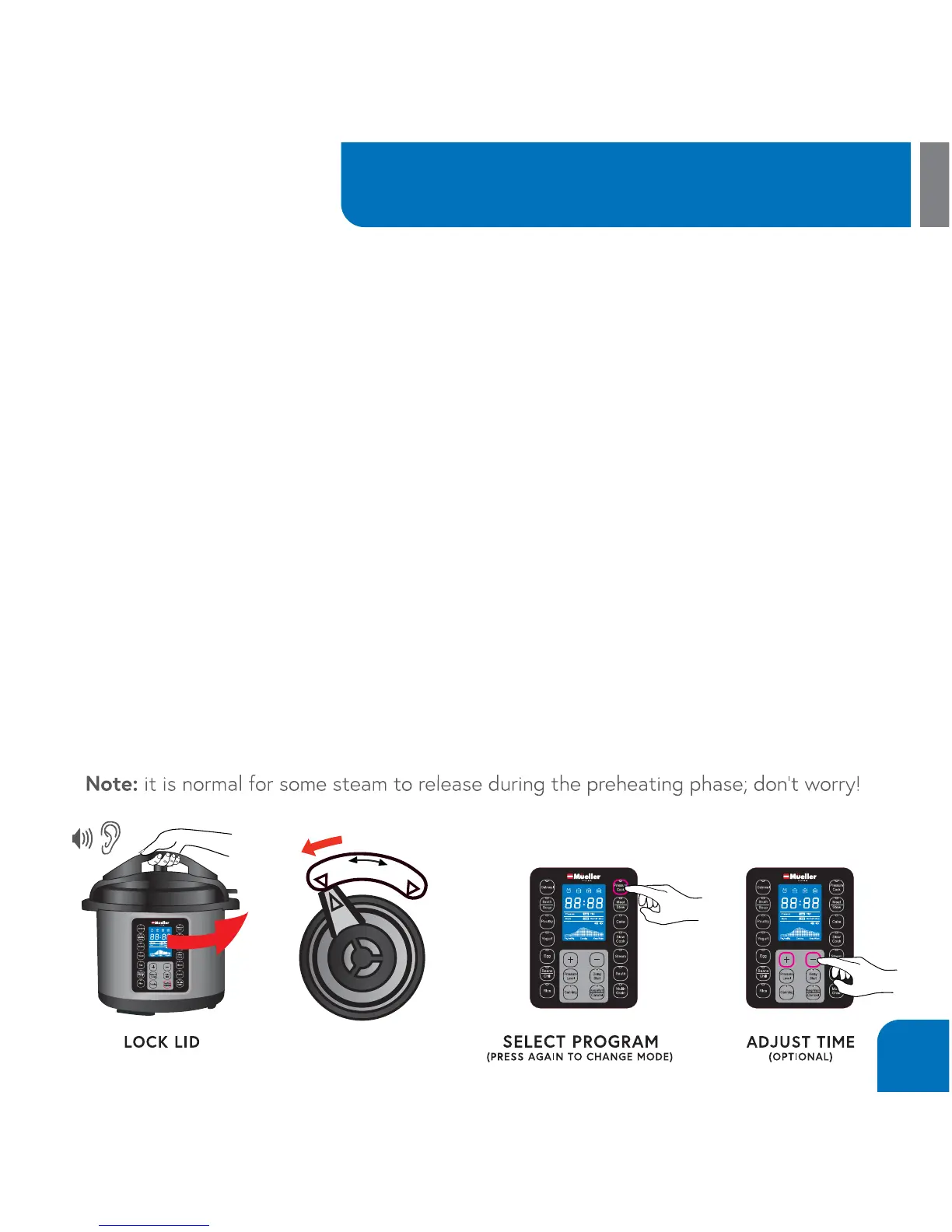
In order to start cooking:
1.Put the ingredients into the Inner pot and close the Lid. Turn the vent to Airtight position.
2. Select a desired program from the Menu.
3. The Default Cook Time will display for the selected setting. For example, if Rice is select-
ed, the display will show 00 12. There is no need to press any other button.
4. The Rice Indicator will blink 5 times and the unit will begin heating. The Pre-heating Icon
will illuminate.
5. As the unit heats up and pressure builds, the Float Valve will rise. The amount of liquid
and other ingredients in the pressure cooker determines the length of time needed for full
pressure to build - generally 5 to 40 minutes.


 To Next Page