23
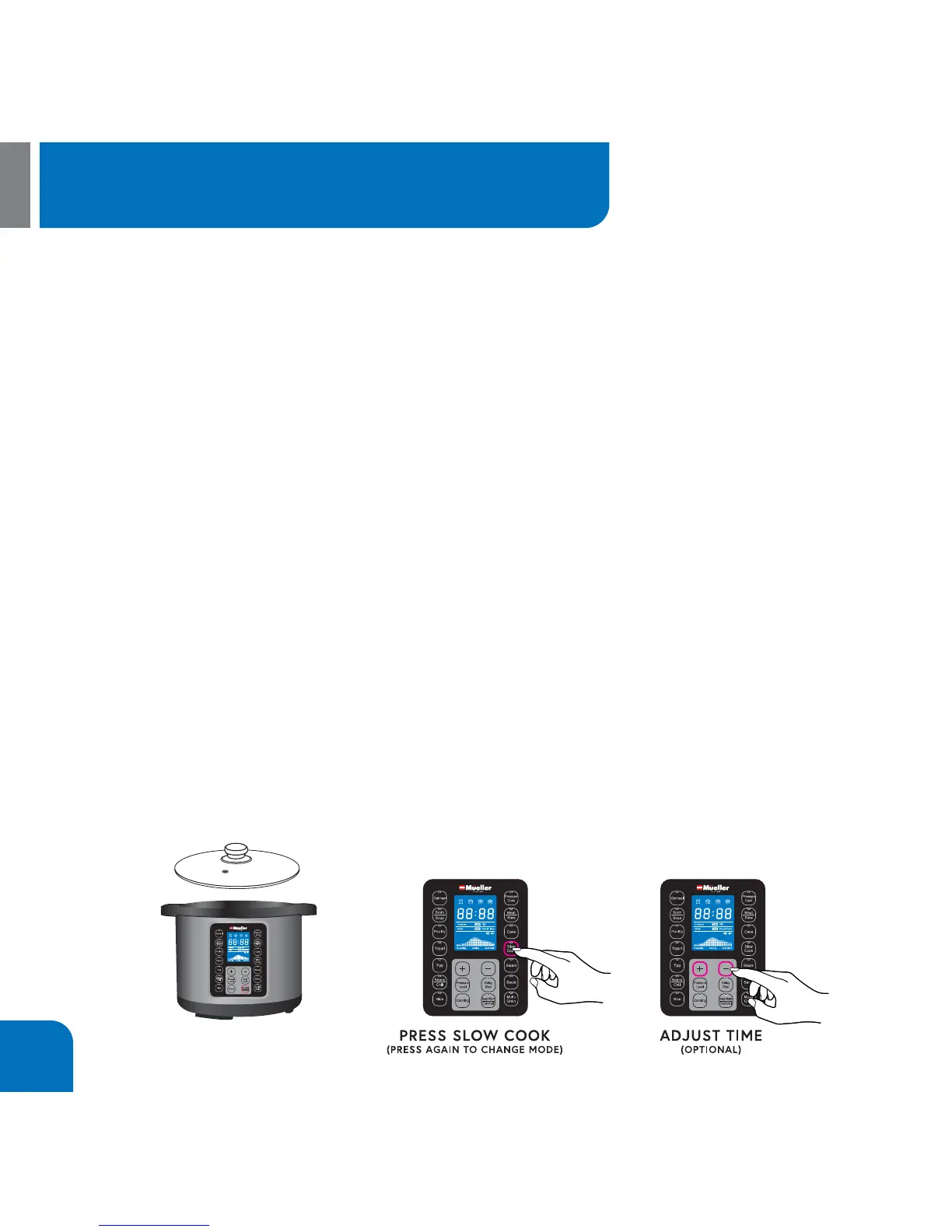
1. Prepare desired food and place into Inner Pot.
2. Use the Glass Lid on the unit when slow cooking.
NOTE: The SLOW COOK function cooks without pressure.
3. Select SLOW COOK function and the display will show the default SLOW COOK
time of 06:00. Press Manual Setting to adjust cooking time. NOTE: The longest SLOW
COOK time allowed is 9.5 hours.
5. After 5 seconds the pressure cooker will beep 3 times and the LCD screen will display
ON to indicate that the pressure cooker is preheating.
6. The unit may take between 5~20 minutes to reach temperature before beginning
count down.
7. When cooking is complete, the cooker will beep.
CAUTION! Never put your face or hands directly over the cooker when removing Glass
Lid, escaping steam can cause serious burn injury.
How to use the SLOW COOK function


 To Next Page