Configuring the joystick
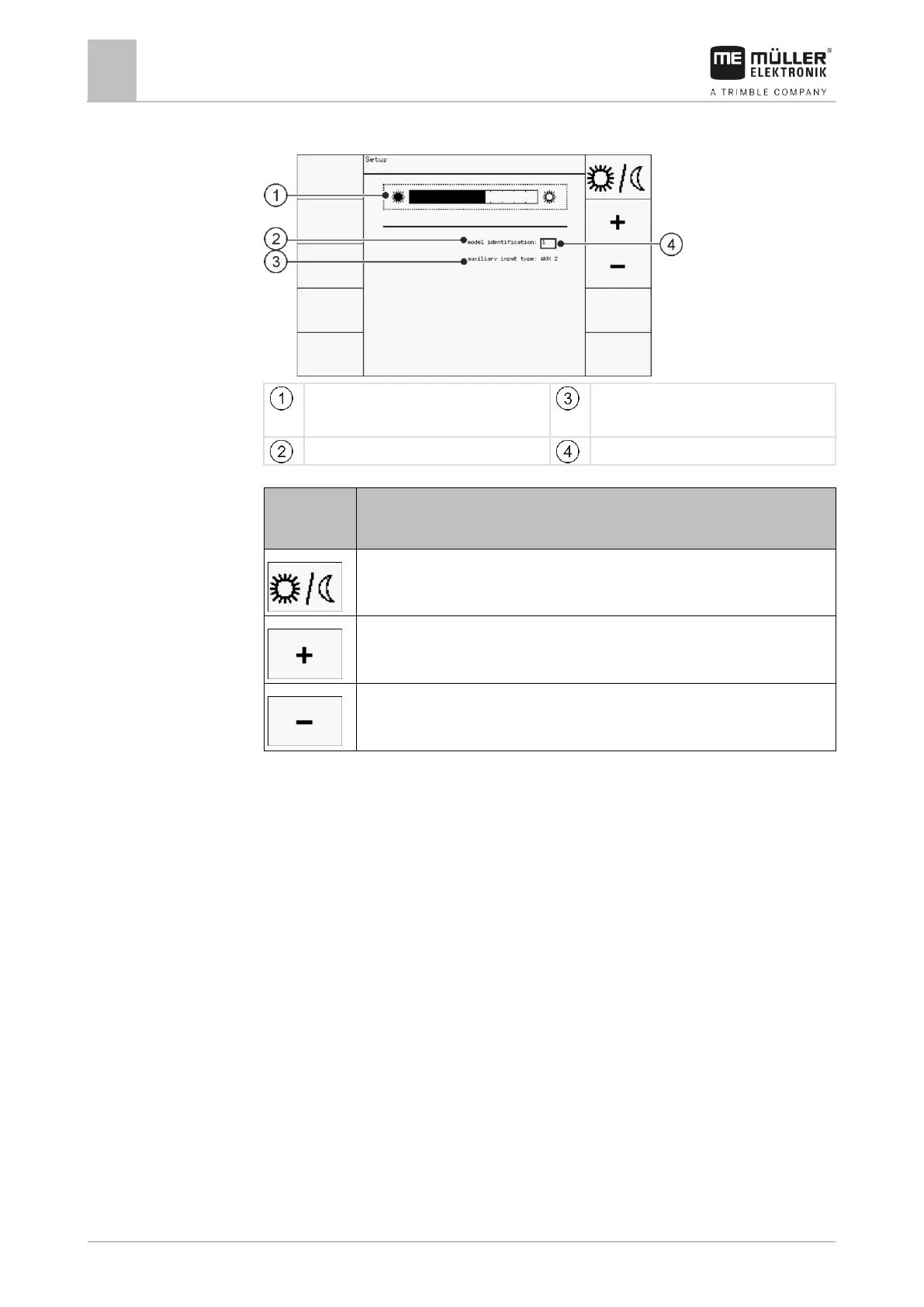
Brightness for day or night mode:
Day mode
Selected auxiliary protocol
Switches between day and night mode
When configuring the joystick, you can make the following settings:
▪ Change the LED brightness in day and night mode.
▪ If you use several joysticks, select the joystick number.
– The default value is “1”. When using multiple joysticks, you must number
these sequentially.
▪ Select the Auxiliary protocol.
– “AUX1”
Select this protocol when your ISOBUS job computer and your terminal
support Auxiliary 1. You can then assign functions to the joystick.
OR
Select this protocol if you use an ME sprayer or a SECTION-Control BOX.
– “AUX2”
Select this protocol when your ISOBUS job computer and your terminal
support Auxiliary 2. You can then assign functions to the joystick.


 To Next Page
 Loading...