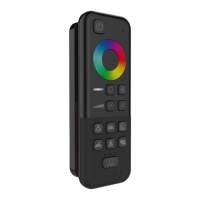
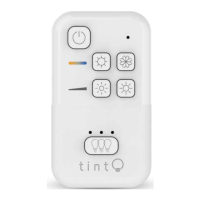
tint-REMOTE CONTROL
38
INSTRUCTION MANUAL
Basic functions
Switching on/off
Press the standby button to switch the bulbs on and off again. The memory
function will store the last “illumination state” and will start again automa
-
tically the next time the bulb is switched on.
Set colours
Press to select the desired colour:
Short press: The colour will switch in the desired direction on
the colour scale.
Long press: The colour will jump to a permanently stored
colour value.
Set white tone
Short-press to select permanently stored white tone settings:
warm white, neutral white and cold white.
Long-press to set the desired white tone from a continuous scale that reaches the
super-warm white range.
Set brightness
Short-press to select permanently stored brightness levels:
100%, 80%, 50%, 20%, 10% and 5%.
Long-press to set the desired brightness on a continuous scale.
Scenes
‘Scenes’ are pre-defined light settings.
Activate a scene by short-pressing the corresponding button on the remote control.
“Working light” scene: 100% neutral, bright light
“Sunset” scene: Starts at warm-white light (50%) and then dims further
after 15 minutes. After another 10 minutes, the light switches off.
“Party” scene: Starts a bright and constantly changing sequence of colours.
“Night light” scene: Warm-white light dimmed to 5%.



 To Next Page
 Loading...