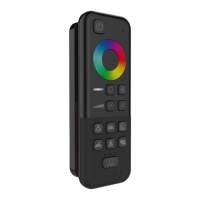
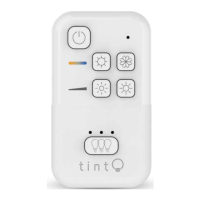
tint-REMOTE CONTROL
INSTRUCTION MANUAL
43
1. Switch the bulb on and off again 5 times in a continuously with an interval
of approximately one second.
2. The bulb will now start in its basic setting, warm white, 100%
Problem Possible causes
Bulb is not working. The batteries in the tint remote control are
dead and must be replaced.
The bulb itself is switched off or the mains
plug is not plugged in.
You have selected the wrong group, or have
not selected a group, using the group button.
Select the right group or select “All groups”
by pressing the group button repeatedly (all
LEDs above the group button will light up).
The wrong bulb lights up. Use the group button to select the right group
or use the group button to select “All groups”.
The light switches off suddenly. You have selected the “Sunset” scene. Not
an error.
You have added a new bulb and this bulb
switches off when you select a coloured
light function.
The new bulb can only light up in white. Not
an error.
You want to add a new bulb, but the ones that
are already added are blinking.
Switch off the bulbs that are already added
or remove them from the product that has
already been connected.
The bulb has been added to the wrong group. Find out for sure which group the bulb is in.
Proceed as described in “Add a bulb from one
group into another group”.
I cannot add a bulb to a new system. Please check whether the bulb is in coupling
mode.
I cannot add the bulb. The bulb is already assigned to a remote
control or a gateway. Please remove it from
the existing network
Bring it closer to the remote control
Switch off any nearby Zigbee devices
Troubleshooting



 To Next Page
 Loading...