Document: IV_MCEE_2016_11_22 Modifications reserved 7
3.3.4 Setting the language
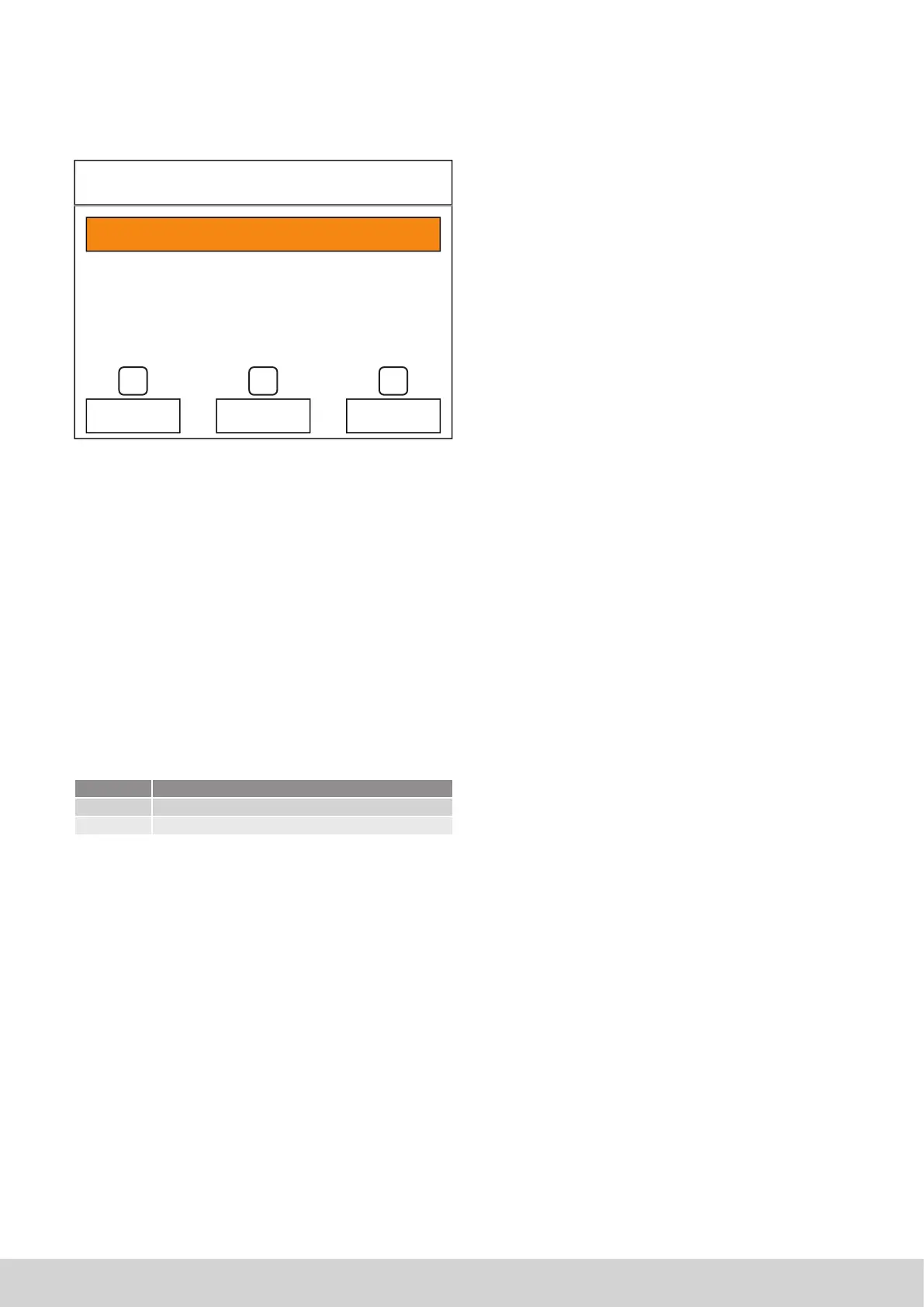
The control can be set to dierent languages. To access this
setting, press the “system” (1) button in the setting menu and,
next, the third option: Language.
1
Nederlands
Taal
4
9
5
:
6
Next, you can set the required language with the R (6) or S
(5).
3.3.5 Setting the time and date
The time and date can be set similarly (not applicable when
using the RC21 thermostat).
3.3.6 Screen cleaning
The touch screen can be temporarily switched o for cleaning
by pressing the clean screen button. Clean the screen using a
microfibre cloth or with a paper tissue.
3.3.7 Installer’s menu
Specific parameters can be found on an installer’s menu to
stop thoughtless changes. This installer’s menu can only be
accessed if a password (a code) is entered.
Installer code
Code User lever
123456 Power user
007007 Installer
The code for the “engineer” user level is only released after fol-
lowing training at Multicalor.
Changes do not normally have to be implemented in this
menu.
3.3.8 Information screens
A number of parameters can be read by pressing the informa-
tion button on the main menu. The information in these screen
can only be read. The parameters cannot be changed. Provi-
sionally, these screens only contain the version number of the
operating software.
Language
English


 To Next Page